
Server settings
What this is about
The Settings tab holds the switches for your server as a whole: its name, timezone, what happens when it crashes or hangs, reinstalling, and changing game. Each card has its own Save button, and saving never restarts your server.
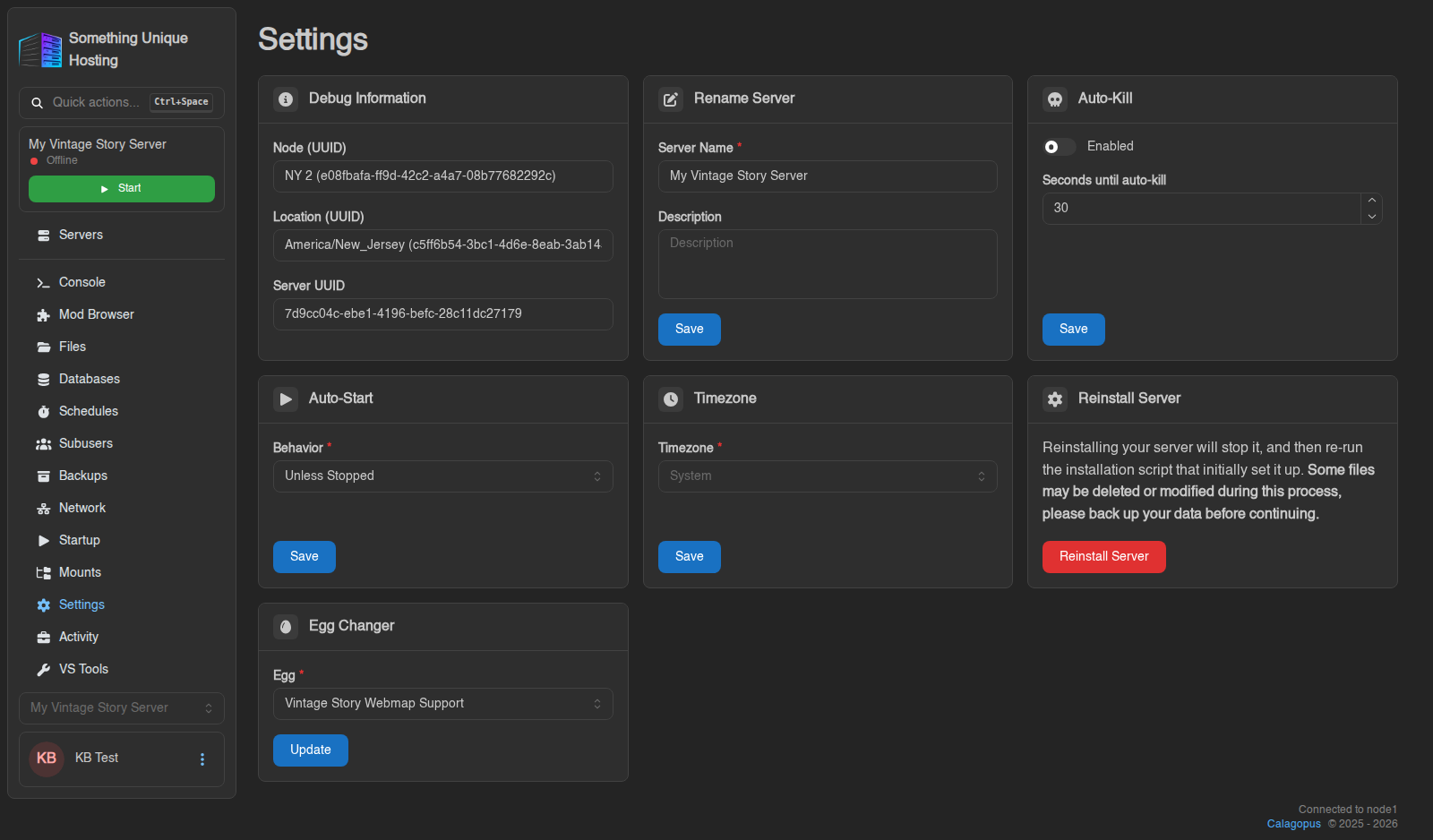
Debug Information
Read-only details about where your server lives: Node, Location and Server UUID. Click any of them to copy it. Include these in support tickets. They help us find your server straight away.
Rename Server
Change the Server Name and add an optional Description. This only changes how the server is labelled in the panel. It doesn't change your in-game server name. For Vintage Story, that's set in VS Tools.
Auto-Kill
Sometimes a server gets stuck while stopping. With Enabled switched on, the panel force-stops the server if it's still stopping after the number of Seconds until auto-kill you set (30 is a good default).
Auto-Start
What should happen when the machine your server runs on restarts (for example after maintenance)?
| Behavior | Meaning |
|---|---|
| Unless Stopped (default) | Starts your server again, unless you had stopped it yourself |
| Always | Always starts it again |
| Never | Leaves it off until you start it |
Crashes are handled separately: after a crash the panel restarts your server automatically. See My server won't start or keeps crashing.
Timezone
Sets the clock your server uses, for its logs and for schedules. New servers use System (the clock of the machine they run on). Pick your own timezone so "4:00 AM" in a schedule means 4:00 AM for you.
Reinstall Server
Runs your game's installer again, for example to apply a new game version or to fix broken game files.
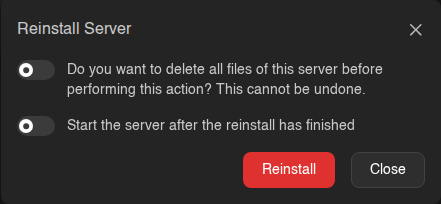
- Leave "Do you want to delete all files of this server…" switched off to keep your world, mods and configs. The installer may still replace some game files.
- Switch it on only if you want a completely fresh server. This deletes everything and can't be undone.
- Start the server after the reinstall has finished saves you a click.
Take a backup before reinstalling, especially with "delete all files" on.
Egg Changer
Switches your server to a different game or server type. See Changing your game.
No comments to display
No comments to display