
VS Tools: server settings, whitelist, bans and roles
What this is about
VS Tools lets you change your Vintage Story server's settings with simple
forms instead of editing serverconfig.json by hand. It has five tabs:
| Tab | What it's for |
|---|---|
| Server Config | Server name, password, player limit, and all the world and gameplay settings |
| Mod Filters | Control which client-side mods players are allowed to use |
| Player Roles | Edit roles (e.g. suplayer, admin) and what each one can do |
| Whitelist | Who's allowed to join |
| Banlist | Who's banned |
Open your server and click VS Tools in the sidebar.
Server Config
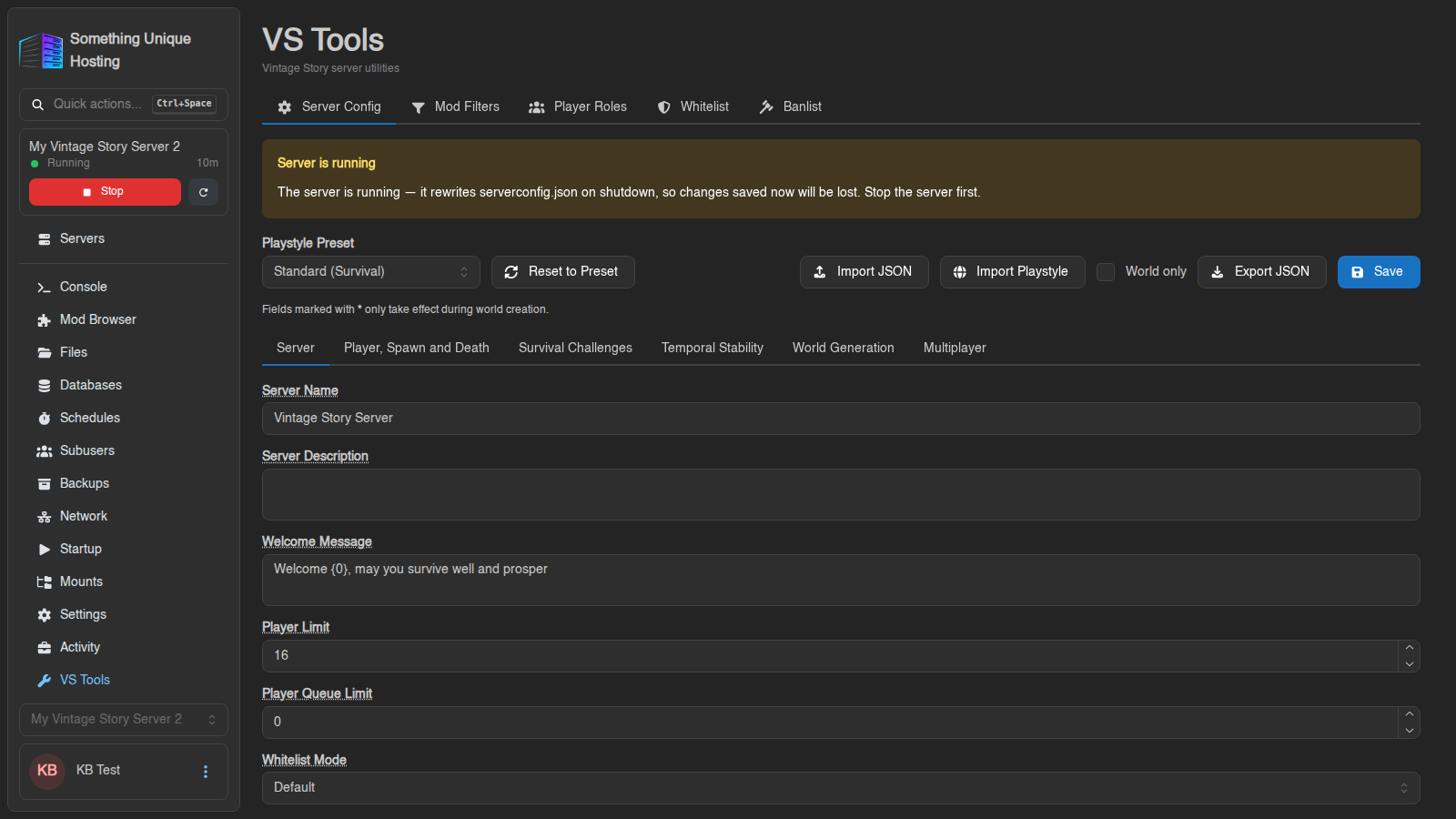
Stop your server before saving. Vintage Story rewrites serverconfig.json when it shuts down, so changes saved while it's running are lost. The panel warns you with "Server is running". Mod Filters and Player Roles are saved into the same file, so this applies to those tabs too.
- Stop the server.
- Change what you need. The settings are grouped into sub-tabs: Server, Player, Spawn and Death, Survival Challenges, Temporal Stability, World Generation and Multiplayer. Hover over any label to see what it does.
- Click Save, then start the server.
Useful settings on the Server tab:
| Setting | What it does |
|---|---|
| Server Name | The name players see in the server list |
| Welcome Message | Shown to players when they join |
| Player Limit | Maximum number of players |
| Password | Players need this to join. Leave empty for none. |
| Whitelist Mode | On: only whitelisted players can join. Off: anyone can join. Default: the game's default (on since 1.20). |
| Server Advertising | List your server on the public server browser |
Fields marked with * only take effect when a new world is created, for example world size, climate and landforms. Changing them on an existing world does nothing.
Presets and importing
- Playstyle Preset: start from Standard, Exploration, Wilderness Survival, Homo Sapiens or Creative, then click Reset to Preset to apply it.
- Import Playstyle: paste a world configuration you copied from single player (Singleplayer → ✏ → copy button next to Playstyle). This is the easy way to use your own singleplayer settings for a new server world. Also see How to use custom game settings from singleplayer.
- Import JSON / Export JSON: load or download a whole
serverconfig.json. Tick World only to export just the world settings.
Whitelist
Since Vintage Story 1.20, servers are whitelisted by default: only players on the list can join.
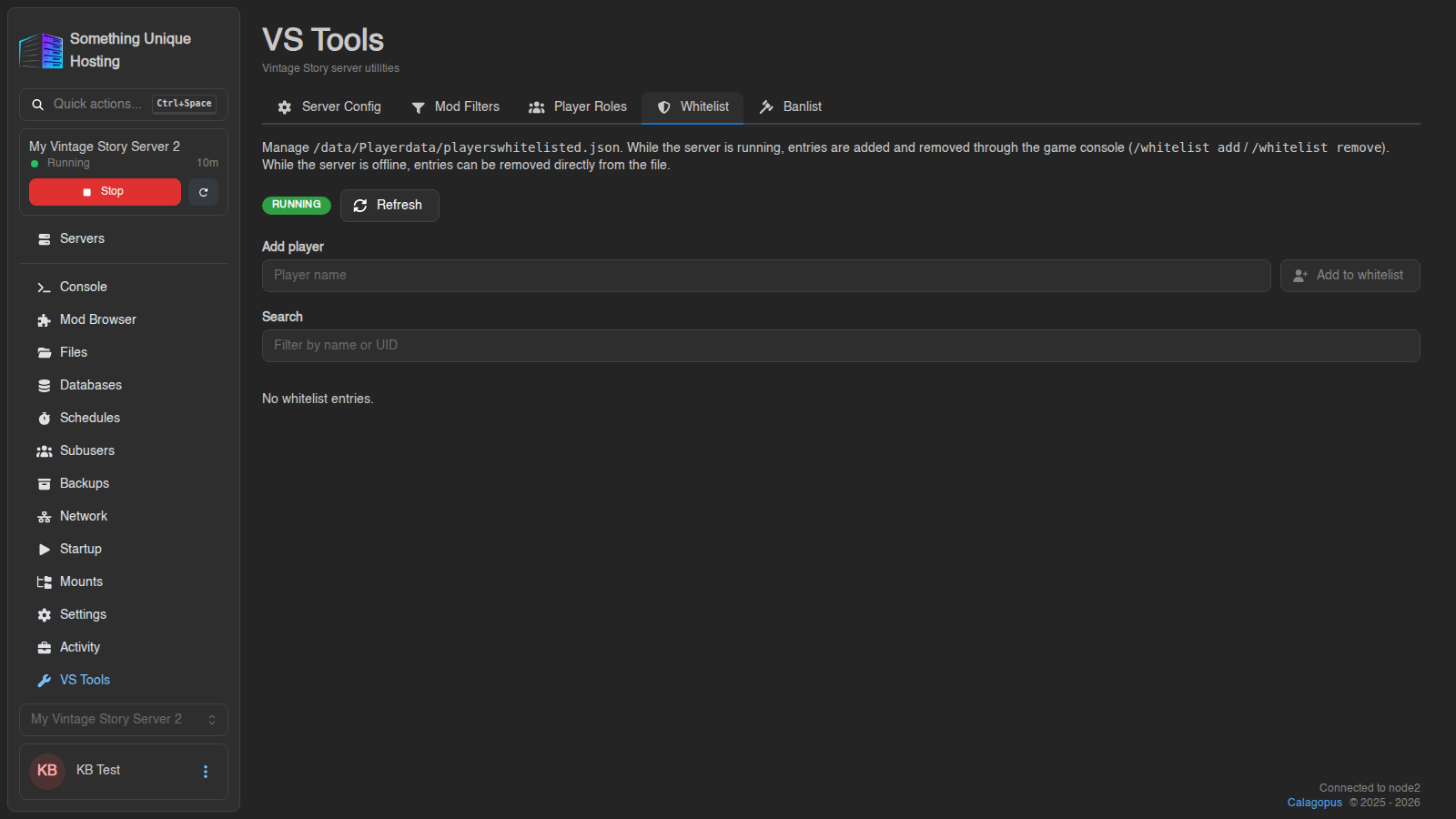
- Adding players needs the server running. Type the exact player name and click Add. The panel sends
/whitelist add <name>for you. - Removing works whether the server is running or not.
- Names can only contain letters, numbers and underscores.
Want anyone to be able to join? Set Whitelist Mode to Off in Server Config.
Banlist
Works like the whitelist: ban while the server is running, unban any time. You can also Export your banlist, and Import one from another server while yours is stopped. Switch on Append to existing list to merge it instead of replacing the whole list.
Player Roles
Roles decide what players can do: build, use chat, claim land, kick or ban
others, and more. New players get the default role (usually suplayer).
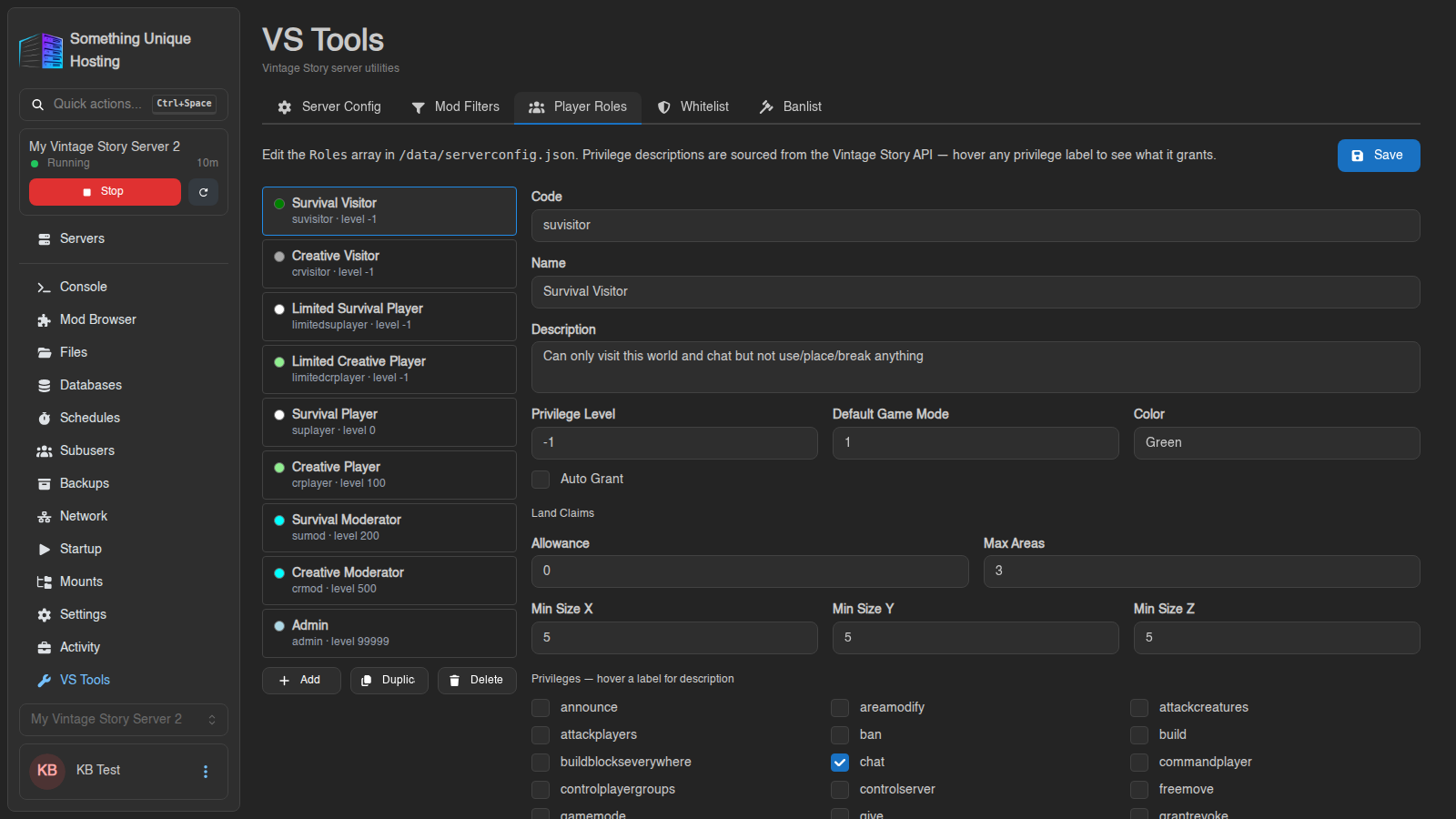
- Pick a role on the left to edit its Privilege Level, Default Game Mode, Color, Land Claims allowance and Privileges (hover any privilege for a description).
- Add, Duplicate or Delete roles. The
adminrole can't be deleted. - Stop the server first and click Save.
To give a player a role in game: /player <name> role <rolecode>, e.g. /player Steve role admin.
Mod Filters
Choose which client-side mods players may have when they join.
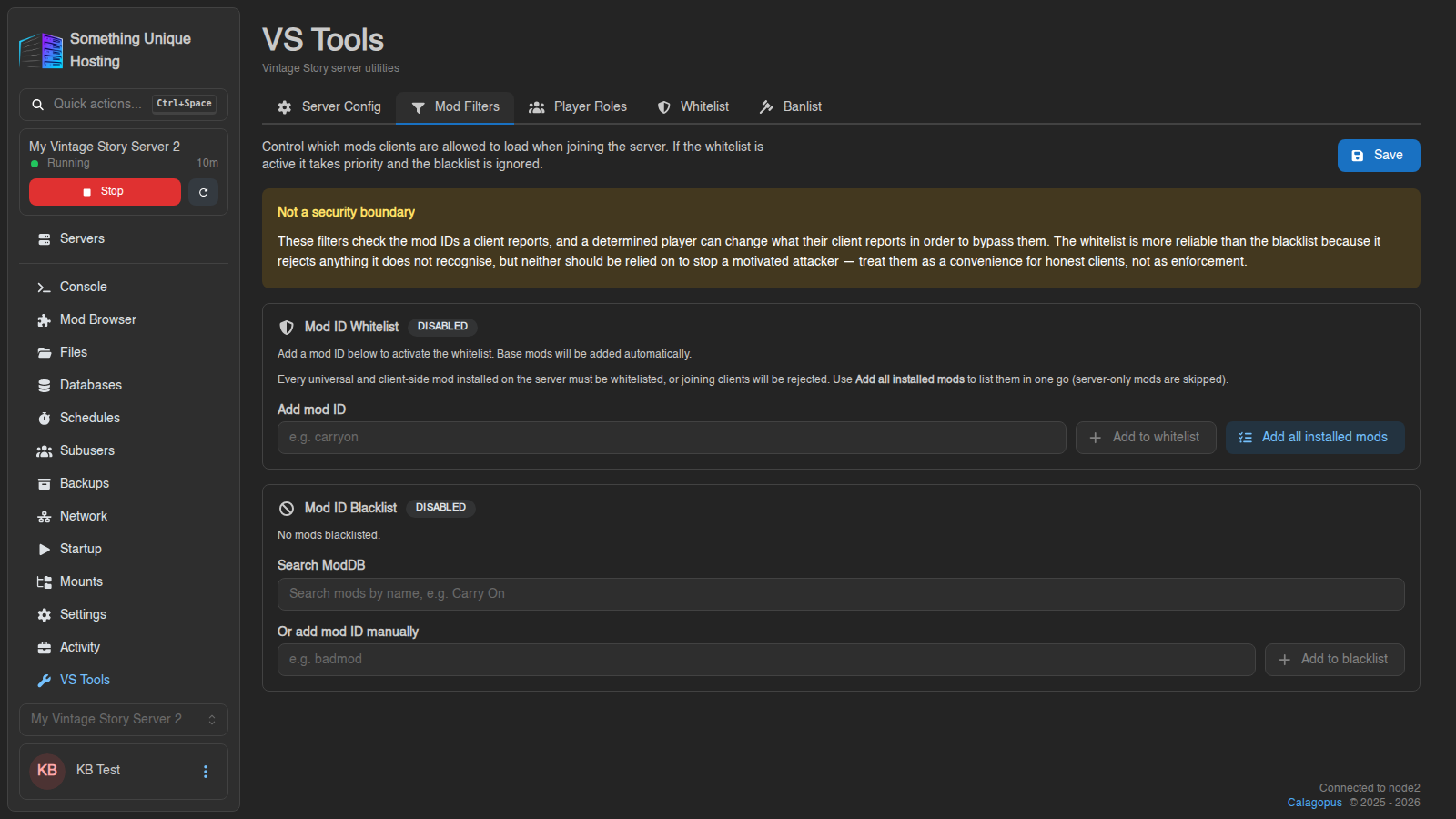
- Mod ID Whitelist: only the listed mods are allowed. Add all installed mods fills it in for you. Players with any other mod are refused.
- Mod ID Blacklist: the listed mods are blocked, everything else is allowed. It's ignored while the whitelist is active.
Not a security measure. A determined player can hide which mods they have. Use filters to stop accidental mismatches (e.g. a minimap you don't want), not to stop cheaters.
No comments to display
No comments to display