
Managing your service
The service page
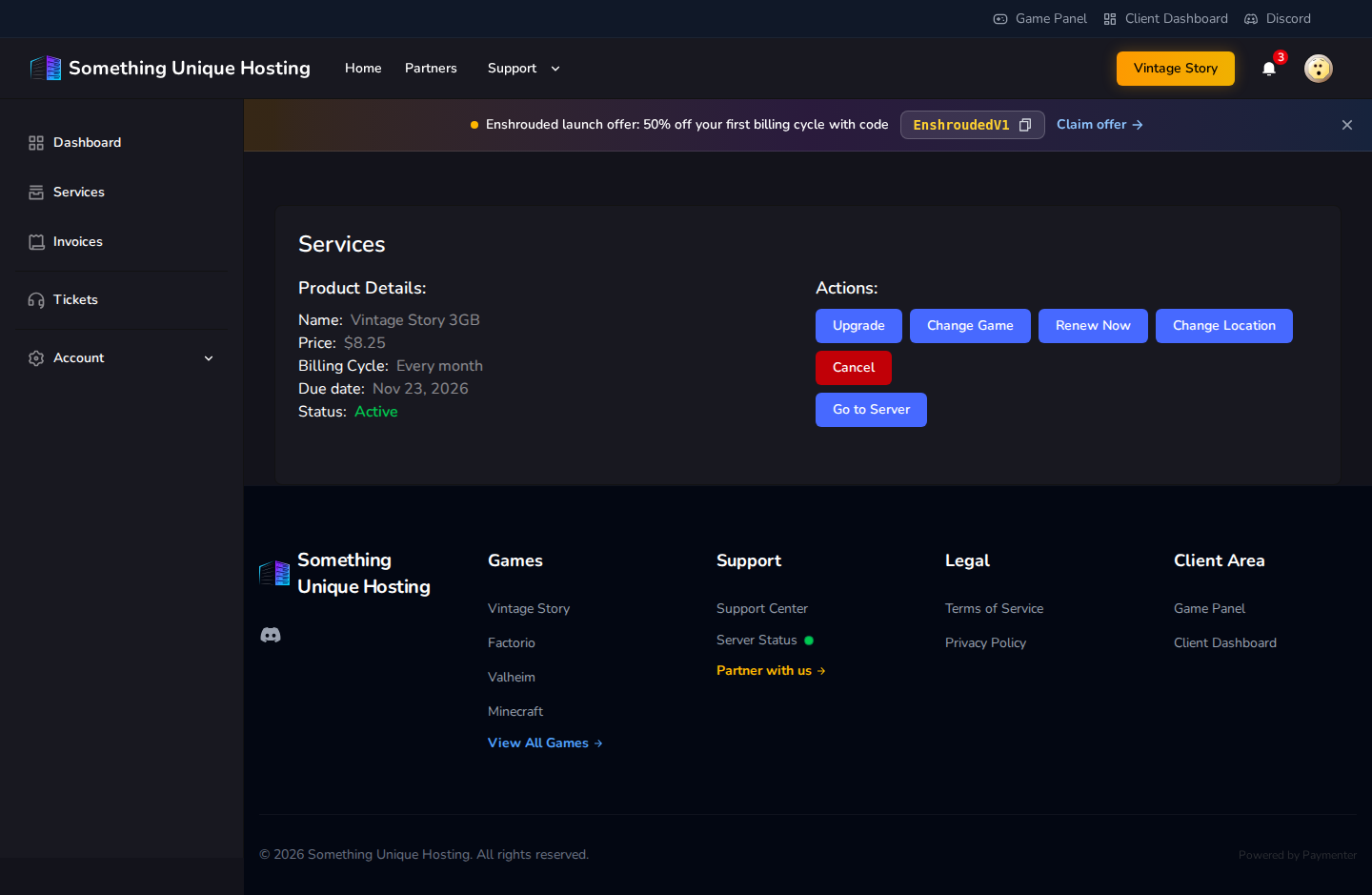
Click Services and choose a server. The service page shows its plan, Price, Billing Cycle, Due date (when the next payment is due) and Status.
| Status | Meaning |
|---|---|
| Pending | Ordered but not paid yet |
| Active | Running normally |
| Suspended | Stopped because an invoice is overdue. Pay it to restore the server. |
| Cancellation Pending | Will be cancelled at the end of the billing period |
| Cancelled | Ended. The server and its data have been deleted. |
What you can do
| Button | What it does | Guide |
|---|---|---|
| Go to Server | Opens the server in the game panel | Game panel tour |
| Upgrade | Move to a bigger (or smaller) plan | Upgrading or downgrading |
| Change Game | Switch to a different game | Changing game |
| Renew Now | Pay for the next period early | Renewals |
| Change Location | Move to another datacenter | Changing location |
| Claim Free Budget Server | Get a free extra server (larger plans only) | Free budget server |
| Cancel | End the service | Cancelling and refunds |
No comments to display
No comments to display