
Console and power controls
What this is about
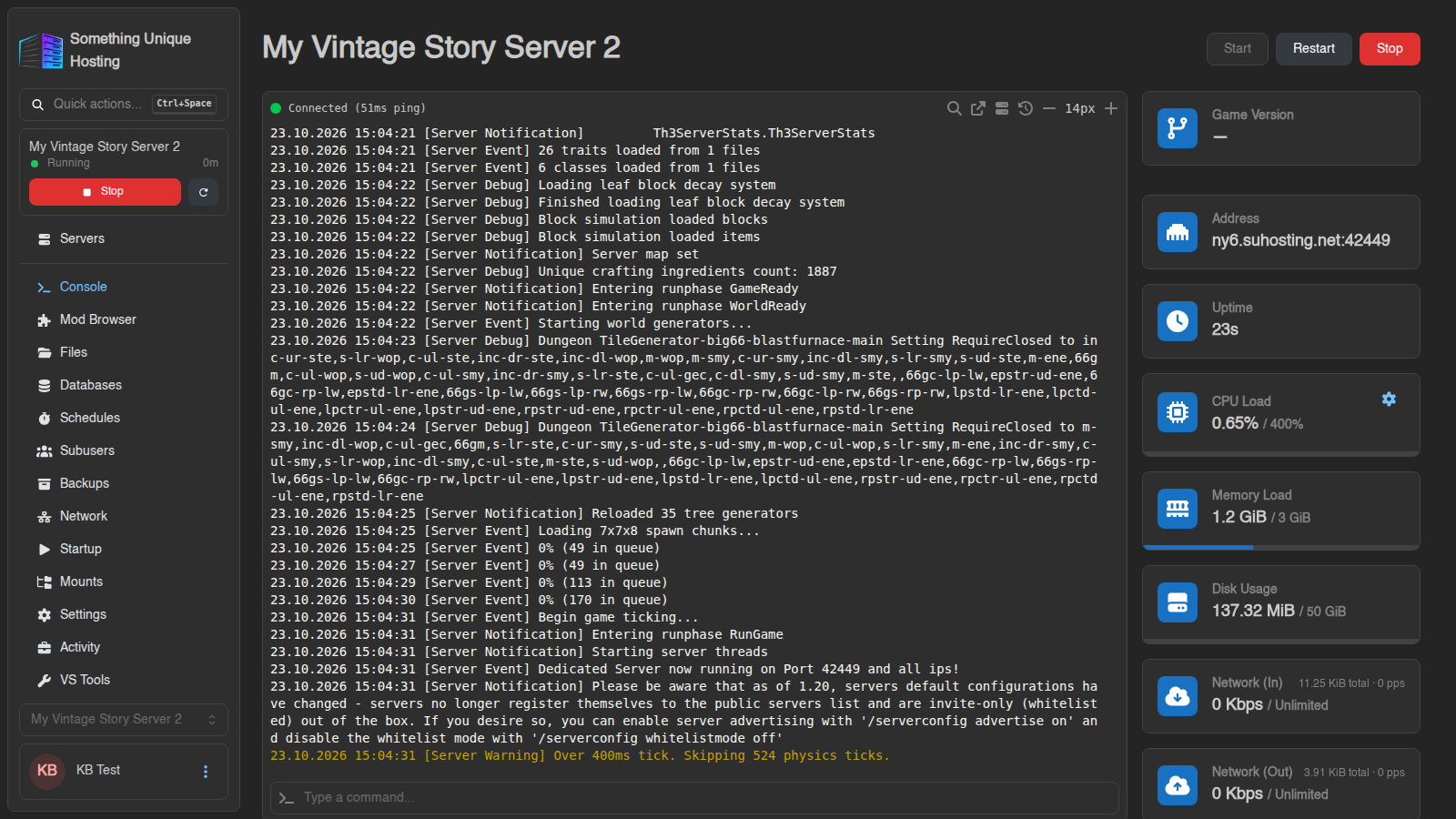
ComingThe soon.Console tab is your server's home page. From here you can start and
stop the server, watch its live log, type commands, and keep an eye on how much
CPU, memory and disk it's using.
Power buttons
At the top right:
Only use Kill if the server is stuck stopping. The panel warns: "Forcibly stopping a server can lead to data corruption." A clean Stop saves your world first; Kill does not.
Want a stuck server killed for you automatically? Turn on Auto-Kill in Server settings.
The live log
The big black area shows everything the server prints, live. Lines starting
with container@calagopus~ come from the panel itself (for example
"Server marked as Offline..."). Everything else comes from your game.
The toolbar above the log:
Sending commands
Type into Type a command... at the bottom and press Enter. Commands go straight to the game, as if you typed them into the server window.
! to pick from your saved command snippets, handy for long commands you use often.
The small terminal icon on the left of the box sets a Command Prefix that's added to everything you type. For example, set /announce and everything you type is broadcast to players.
Vintage Story commands start with a slash: /time set day, /announce Hello, /genbackup.
Resource cards
On the right:
Below the log you'll find live graphs of CPU, memory and network.
On Vintage Story servers, the console also shows the Game Version and an Online Players box with everyone currently connected and their ping. It refreshes every 30 seconds.
Memory near the limit all the time? The server may be stopped with "Out of memory". See My server won't start or keeps crashing.