
Server metrics: see how your server is performing
What this is about
The Metrics page shows live graphs from inside your Vintage Story server: players online, tick rate (TPS), how long each game tick takes, chunks and entities loaded, memory, network, and which mods use the most time. Use it to answer "why is my server lagging?".
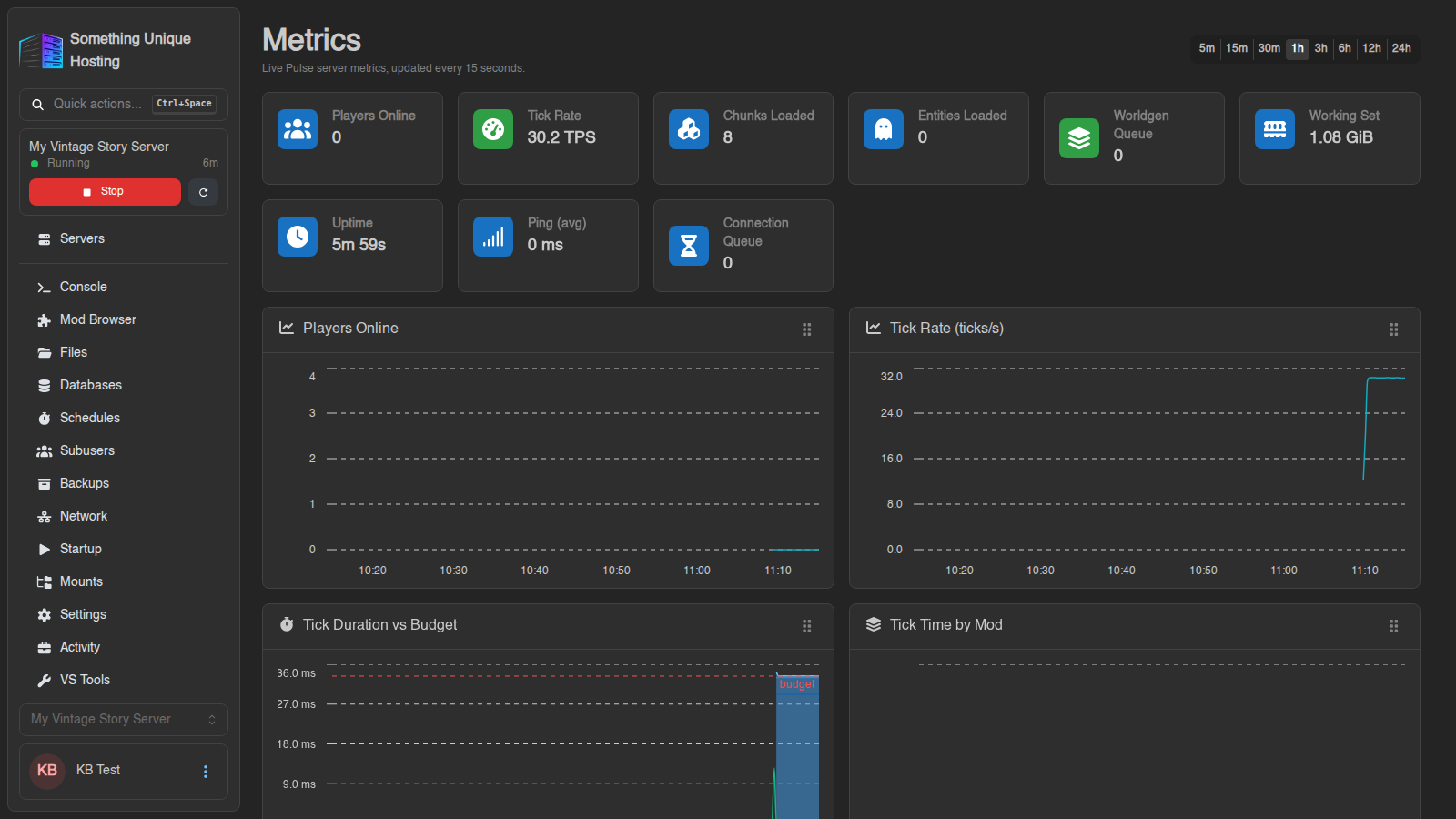
Open your server and click Metrics in the sidebar.
Setting it up
Metrics come from a small server mod called Pulse, which is installed on new Vintage Story servers. It also needs a spare port.
- Charts showing? You're all set.
- "Metrics are not configured for this server yet": your server doesn't have a metrics port yet. Open a support ticket and we'll set it up for you.
- "The Pulse mod is not installed" or "A Pulse update is available": click Install Pulse or Update Pulse, then restart the server.
Already have a spare port on the Network tab that nothing else uses? You can set it up yourself: put that port number in Metrics Port on the Startup tab, save, and restart the server.
Reading the dashboard
Pick a time range at the top (5m to 24h). Charts update every 15 seconds. Drag across a chart to zoom in, and drag charts to rearrange them.
The tiles at the top:
| Tile | What it means | Healthy |
|---|---|---|
| Players Online | Who's connected | |
| Tick Rate (TPS) | Game updates per second | steady. Dips mean lag. |
| Chunks Loaded | Parts of the world in memory | grows with players and exploring |
| Entities Loaded | Creatures, items, carts… | very high counts cause lag |
| Worldgen Queue | New terrain waiting to be generated | near 0 |
| Working Set | Memory the server is using | below your plan's RAM |
| Ping (avg) | Players' average connection delay | under ~100 ms |
Finding the cause of lag
- Tick Duration vs Budget: if ticks regularly take longer than the budget line, the server can't keep up.
- Tick Time by Mod: shows which mods take the most time. It's off by default. Type
/pulse attribution onin the console to turn it on. - Worldgen Columns /s and Worldgen Queue high: players exploring fast cause lag while new terrain generates. Pre-generating the world, or a smaller view distance, helps.
- Entities by Type: a huge count of one type (e.g. dropped items, animals) often points to a farm or a mod gone wild.
- .NET Memory / GC Pause % high and rising: the server is short of memory. See My server won't start or keeps crashing.
When the server is offline the charts keep showing history, and live values return when it starts.