
Two-factor authentication and security keys
What this is about
ComingYour soon.panel account controls your servers, worlds and backups, so it's worth
protecting with more than a password. Two options are available:
You can use either one, or both.
Setting up two-factor authentication
You'll need an authenticator app on your phone, such as Google Authenticator, Microsoft Authenticator, Authy or 2FAS.
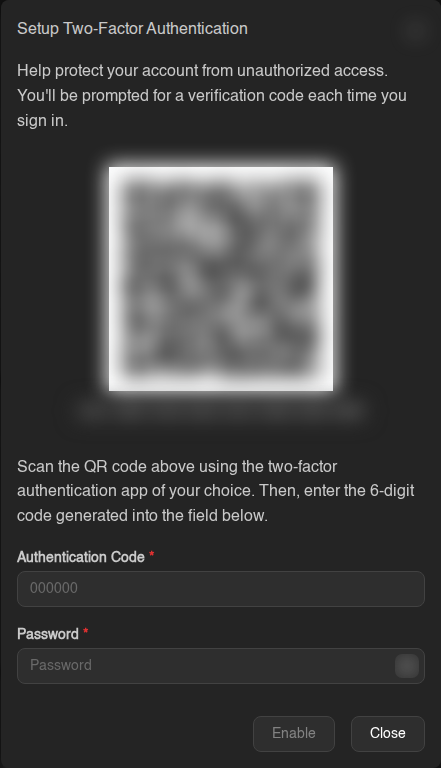
Save your recovery codes!
You'll now be shown 10 recovery codes. Copy them and keep them somewhere safe: a password manager, or printed out. Each code works once and lets you in if you lose your phone.
You will only see these codes once. If you lose your phone and your recovery codes, you'll need to contact support to get back in.
Signing in with 2FA
After your password, enter the 6-digit code from your app and click Verify Code. Lost your phone? Click Use Recovery Code and enter one of your saved codes.
"Invalid code"? Codes depend on your phone's clock. Make sure its time is set automatically. The panel also warns you if your computer's clock is off.
Turning 2FA off (or moving to a new phone)
Click Disable Two-Factor, enter a code from your app (or a recovery code) and your password, then click Disable. To move to a new phone, disable it and set it up again on the new one.
Security keys and passkeys
A passkey lets you sign in with your device's fingerprint reader, face unlock, PIN, or a hardware key like a YubiKey. You don't type a password, and it can't be phished.
Adding one
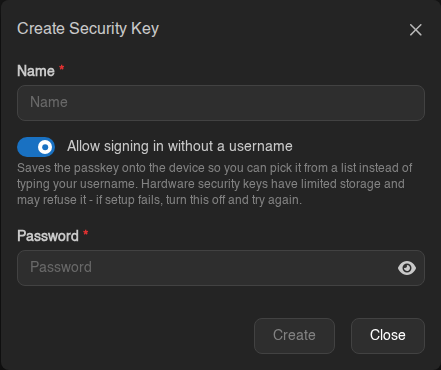
Using an older hardware key and setup fails? Turn Allow signing in without a username off and try again. Some keys have limited storage.
Signing in with a passkey
On the login page, click Sign in with a Passkey and follow the prompt. Or type your username and choose Use Passkey.
Turning off password login (optional)
Once you have a passkey, you can stop your password working entirely: in the Password Login card on the Account page, click Disable.
This also stops your password working for SFTP, so you'd need an SSH key for that. Make sure your passkey works before turning this off.