
The Startup tab: game version and launch options
What this is about
ComingThe soon.Startup tab controls how your server is launched: which game version,
which Docker image (the software environment it runs in), and game-specific
options like the player limit.
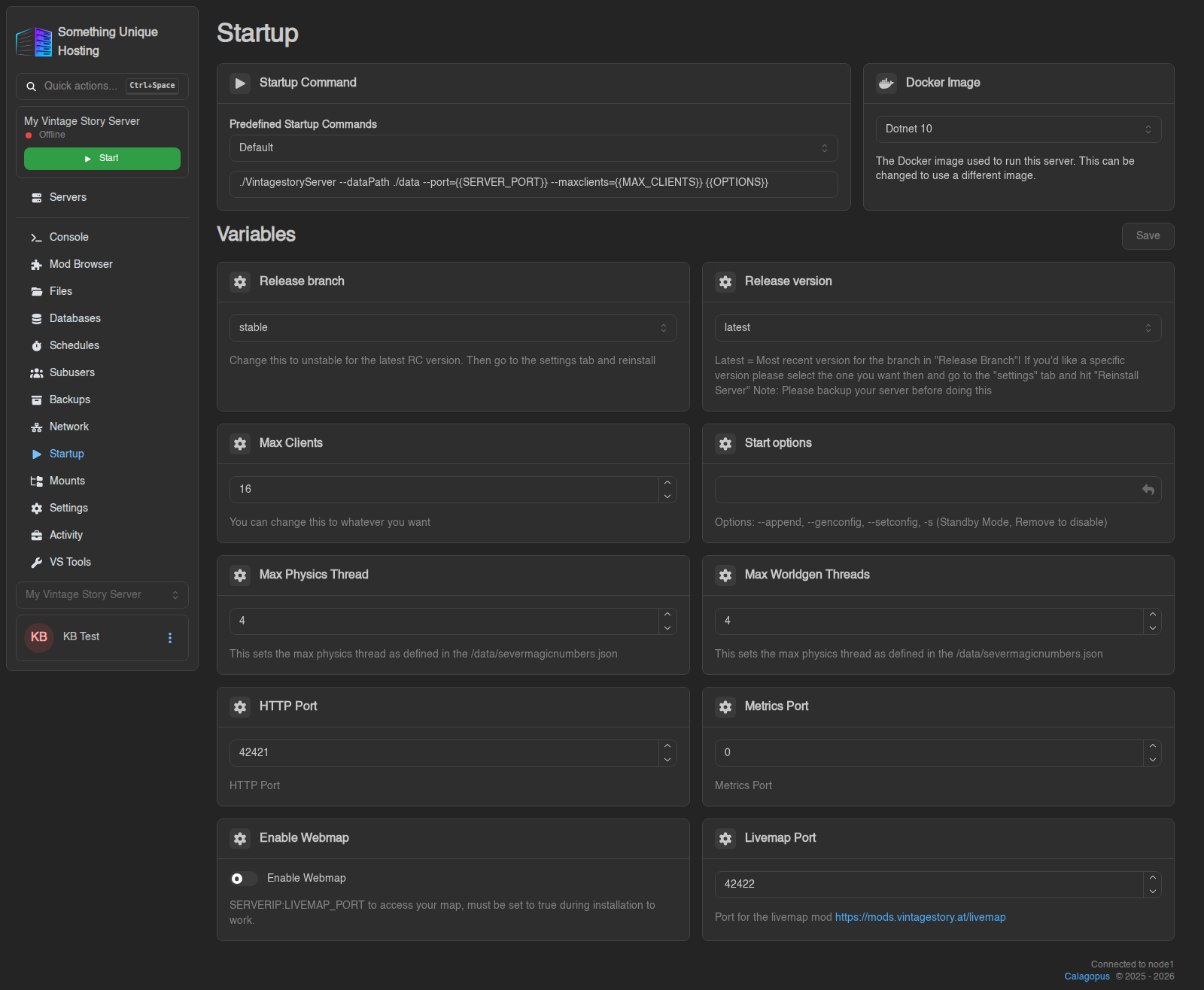
Variables
Variables are the settings for your game. On Vintage Story they include:
Change a value, then click Save at the top right of the Variables section. If you try to leave with unsaved changes, the panel warns you.
Most variable changes only apply on the next start, and a few (like the game version) need a reinstall. To change your Vintage Story version, follow How to update your server.
Startup Command
The command used to launch your game. It's filled in for you, and on most servers it can't be edited directly. If your game offers alternatives, pick one from Predefined Startup Commands.
Docker Image
The software environment your server runs in. For Vintage Story this is the .NET version the game needs (e.g. Dotnet 10). Choosing a different image saves immediately.
You normally never need to touch this. If a game update needs a newer .NET version, Vintage Story servers show a .NET Version Mismatch window on the console with a Switch Image & Restart button that does it for you.