
The Activity log: who did what
What this is about
The Activity tab records everything that happens to your server: who started or stopped it, which files were edited, backups, schedule runs, and console commands. If something changed and you don't know why, look here first.
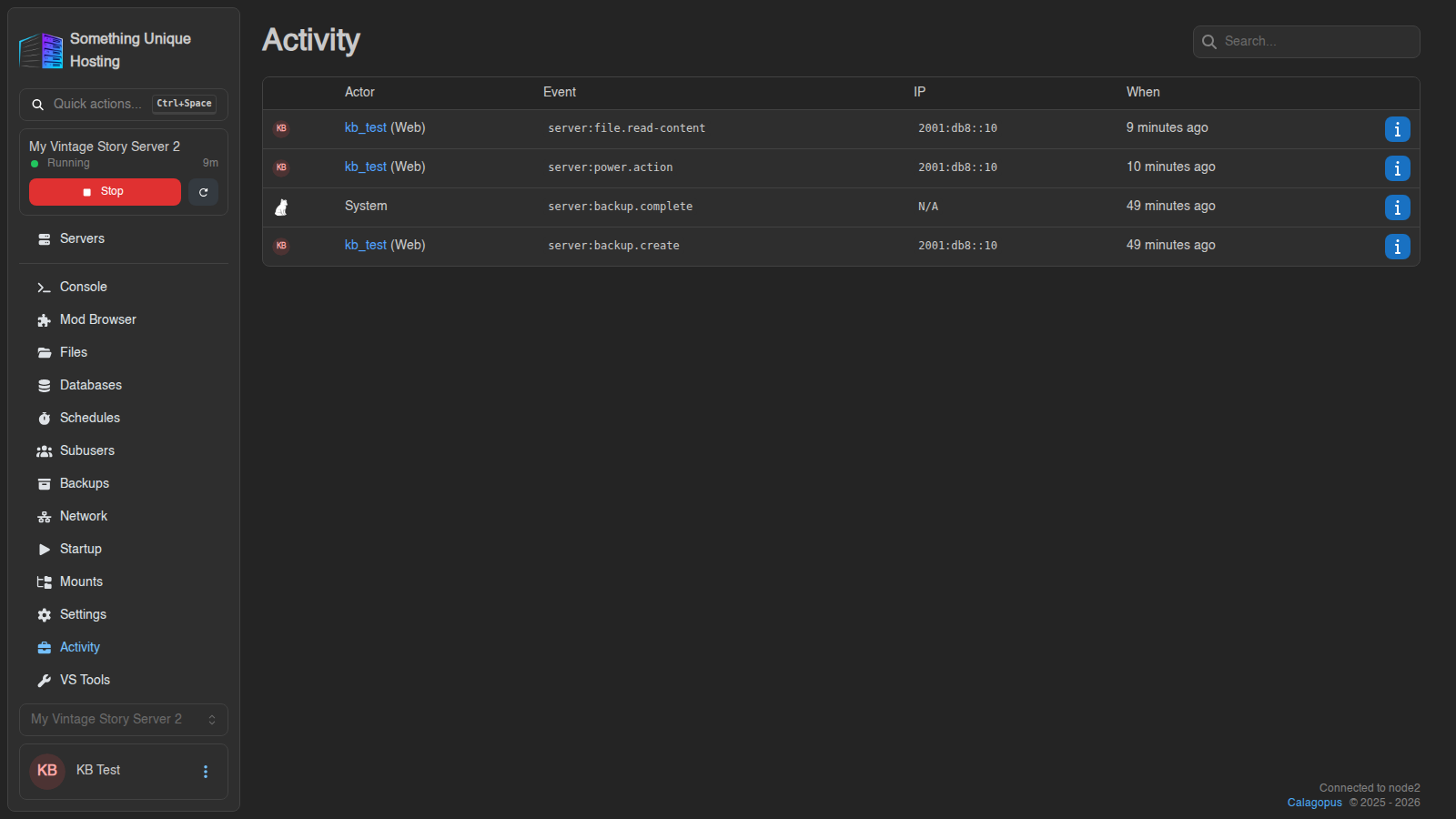
| Column | Meaning |
|---|---|
| Actor | Who did it: you, a subuser, or System (the panel itself, e.g. a finished backup or a schedule) |
| Event | What happened (see below) |
| IP | Where the action came from |
| When | How long ago. Hover for the exact time. |
Reading the event names
Events look like server:power.action. The common ones:
| Event | Means |
|---|---|
server:power.action |
Start, stop, restart or kill |
server:console.command |
A command was typed into the console |
server:file.write |
A file was edited and saved |
server:file.read-content |
A file was opened |
server:file.delete, …rename, …copy |
Files deleted, renamed or copied |
server:file.compress, …decompress, …pull |
Archives made or extracted, files pulled from a URL |
server:backup.create, …restore, …complete |
Backups |
server:schedule.trigger |
A schedule ran |
server:subuser.create, …update, …delete |
Subusers changed |
server:startup.variables |
Startup settings changed |
server:settings.install |
The server was reinstalled |
server:settings.change-egg |
The game was switched with the Egg Changer |
For edited files, a branch icon next to the event opens a diff showing exactly what changed.
Searching and filtering
- Search (top right) matches event names and usernames, e.g.
backupor a subuser's name. - Click a username in the Actor column to show only their actions. Clear User Filter shows everyone again.