
Paying invoices
Finding your invoices
ComingClick soon.Invoices in the menu. Unpaid invoices also show on your dashboard
under Unpaid Invoices. A service with an unpaid invoice shows "You have an
outstanding invoice. Click here to view and pay."
Open an invoice to see what it's for, its Due Date, and its status (Payment Pending or Paid). Download PDF saves a copy for your records.
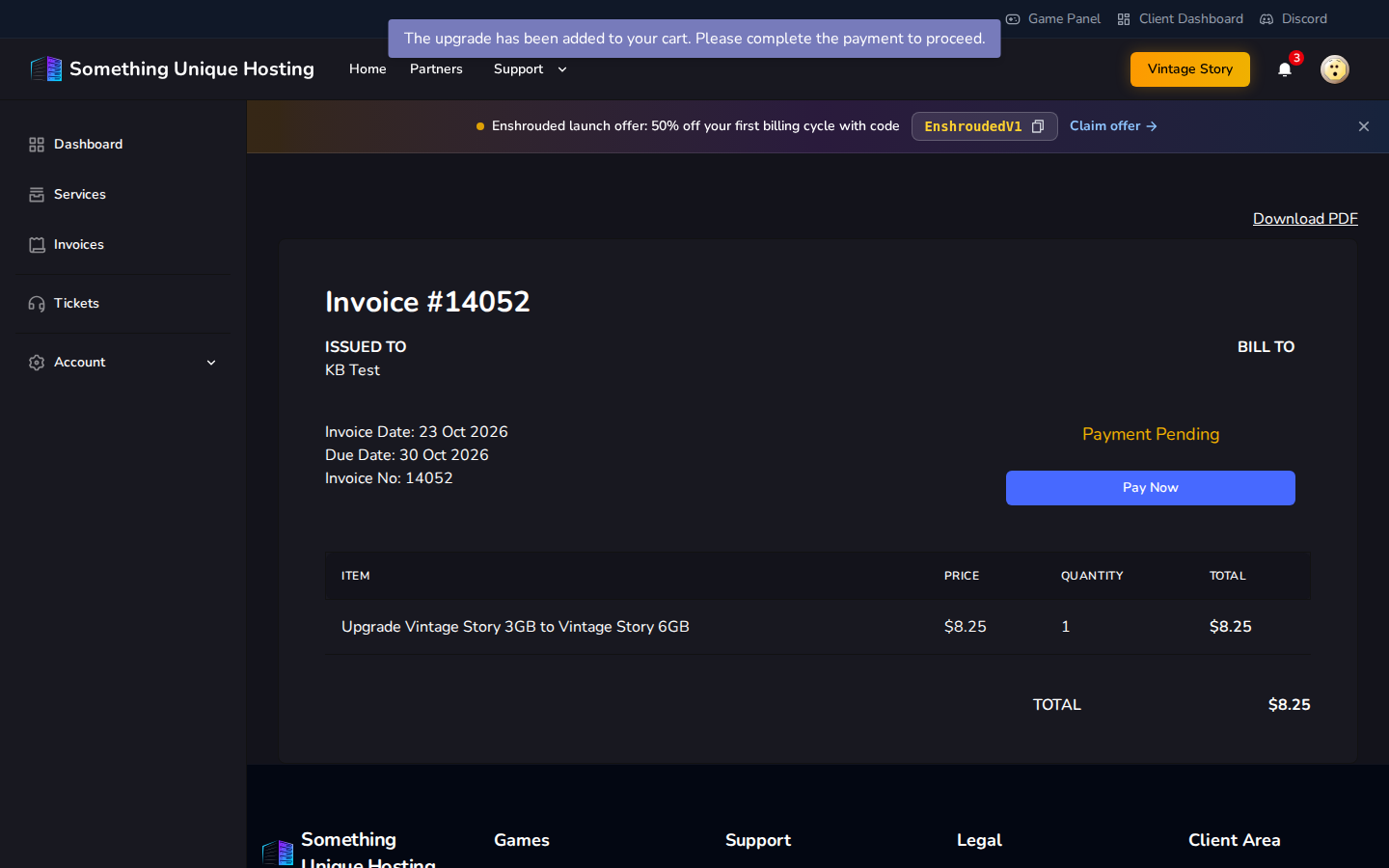
Paying
Click Pay Now. You can pay with:
After paying, the page updates on its own: "The invoice has been paid."
Paying partly with credit: if your credit doesn't cover the whole invoice, choose Apply Credits and Continue. Your credit is used first, and you pay the rest by card or PayPal.
Automatic payments
Want renewals to pay themselves?
Your service page then shows Auto paying using: …. Renewal invoices are charged to that card automatically. If a charge fails, we email you so you can pay another way.
Account credit is always used first for renewals, but only if your balance covers the whole renewal.
Payment failed?
When do renewal invoices arrive?
On the day your service is due. You then have 7 days to pay before the server is suspended. See Renewals, overdue invoices and suspension.