
Changing game
What this is about
Switch your server to a completely different game, e.g. Vintage Story to Valheim, without cancelling and re-ordering. You'll move to a plan for the new game, and only pay any price difference.
Always change game here on the billing site, not with the Egg Changer in the game panel. The billing site needs to know which game you're running. Otherwise, if your server ever has to be rebuilt, it's reinstalled with your old game and plan.
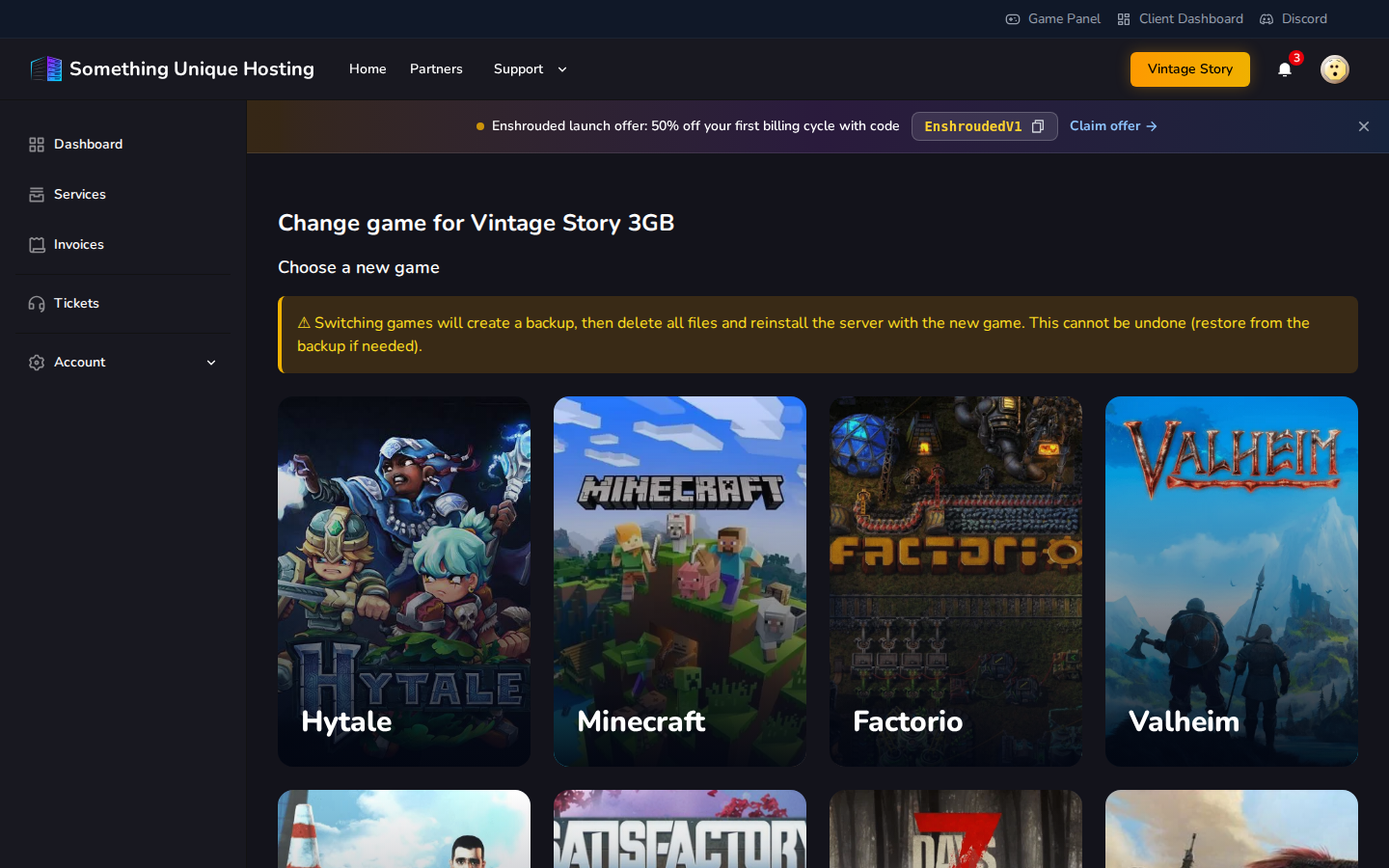
Before you start
Changing game deletes all files on your server and installs the new game. We make a backup first (*"Pre game change …"*), so you can get your old world back from Backups in the game panel if needed. Download it if you want your own copy.
- Make sure your server has a free backup slot. If the backup can't be made, the change stops and nothing is touched.
- You can only switch to games and plans with the same billing cycle as your current plan.
- Your location stays the same.
Changing
- Go to Services, open your server, and click Change Game.
- Choose a new game, then choose a plan for it, then configure it.
- Check Total due today:
- More expensive? You pay the difference for the rest of your billing period. The change starts once that invoice is paid (it's due in 7 days).
- Same price or cheaper? The change starts straight away. If it's cheaper, the difference is added to your account credit once the switch is done.
- Confirm.
We then back up your server, wipe it, and install the new game. You'll get an email when it's done: "Your server has been switched to …". Open the game panel to start it.
If something goes wrong
If the change fails (for example the backup couldn't be made because your backup slots are full), you'll get an email, and the service page shows Retry switch to …. Free up a backup slot in the game panel, then click retry. There's no extra charge.
Only one game change can run at a time. A free budget server can't change game; it always stays on its original game.