Cancelling your server and refunds
Before you cancel
ComingWhen soon.a service is cancelled, the server and all its data are permanently deleted within 72 hours. Download a backup of anything you want to keep first.
Cancelling
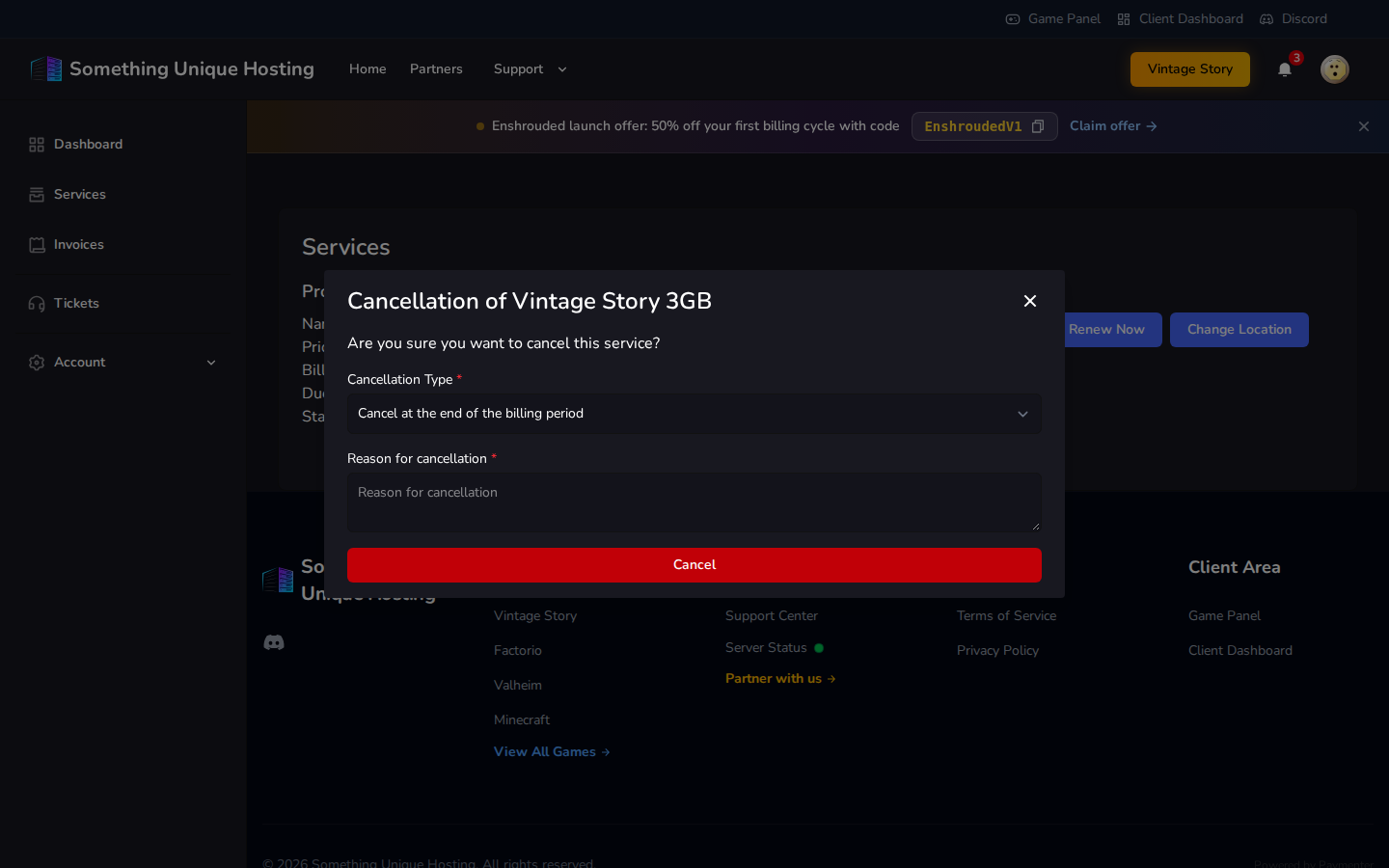
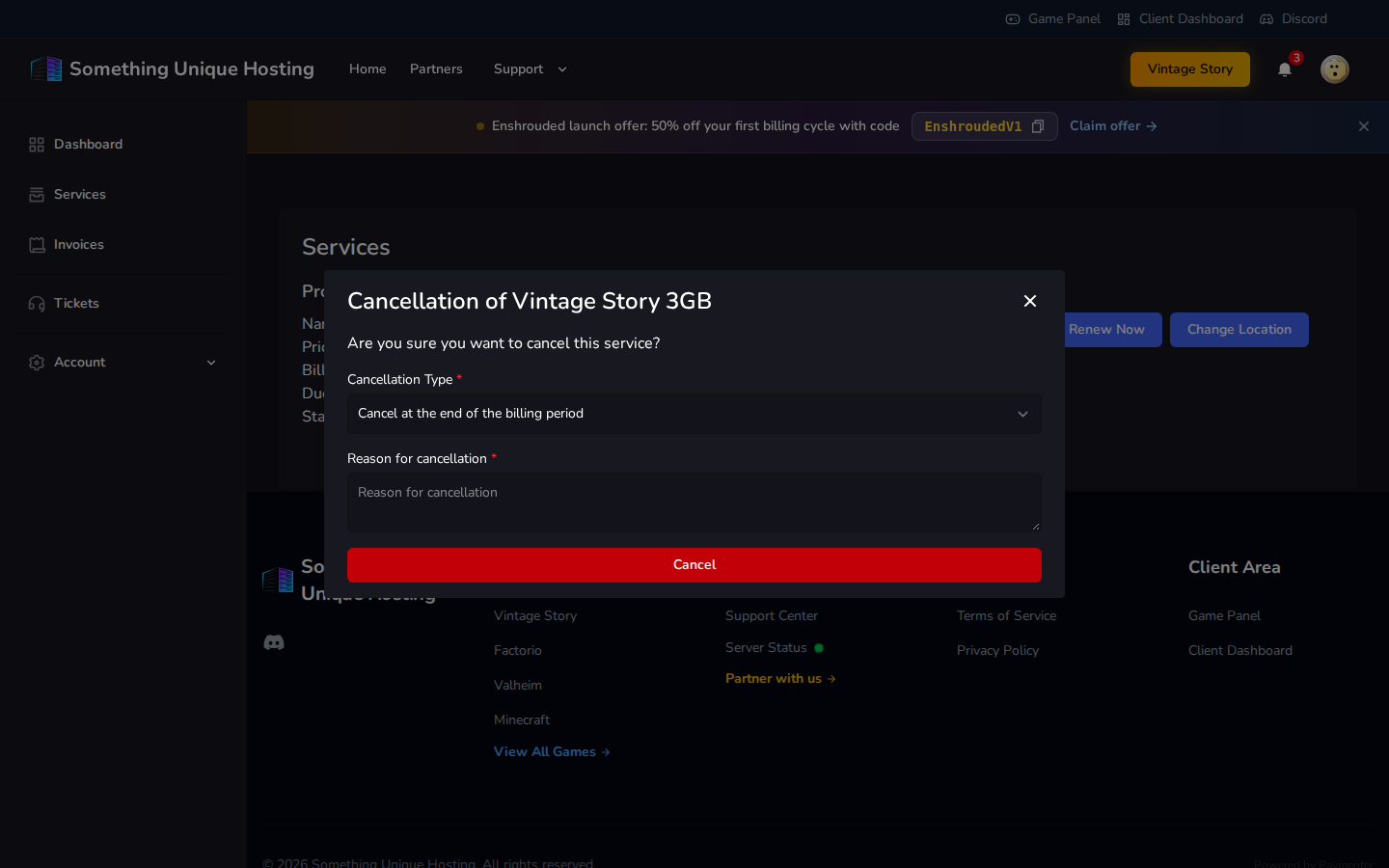
Go to Services, open your server, and click Cancel.
Choose the Cancellation Type:
Cancel at the end of the billing period (recommended): keep using your server until the date you've paid for. It won't renew.
Cancel immediate: the server is stopped and deleted right away, and you can't use it any more.
Enter a Reason for cancellation. It helps us improve.
Click Cancel and confirm.
Changed your mind?
If you chose end of the billing period, the status shows Cancellation
Pending with a Withdraw cancellation link next to it. Click it before the
period ends and your service carries on and renews as normal. Free.
Immediate cancellations can't be undone.
Refunds
14-day money-back guarantee: new services can get a full refund within 14 days of the first payment. Open a ticket in the Sales department.
After 14 days, refunds are at our discretion.
Refunds go back to your original payment method within 5–10 business days.
Please talk to us before filing a chargeback with your bank or PayPal. Under our Terms of Service, a chargeback without contacting us first can lead to every service on your account being terminated.
Free budget servers
Cancelling a premium server also cancels its free budget server.