Creating a time based schedule
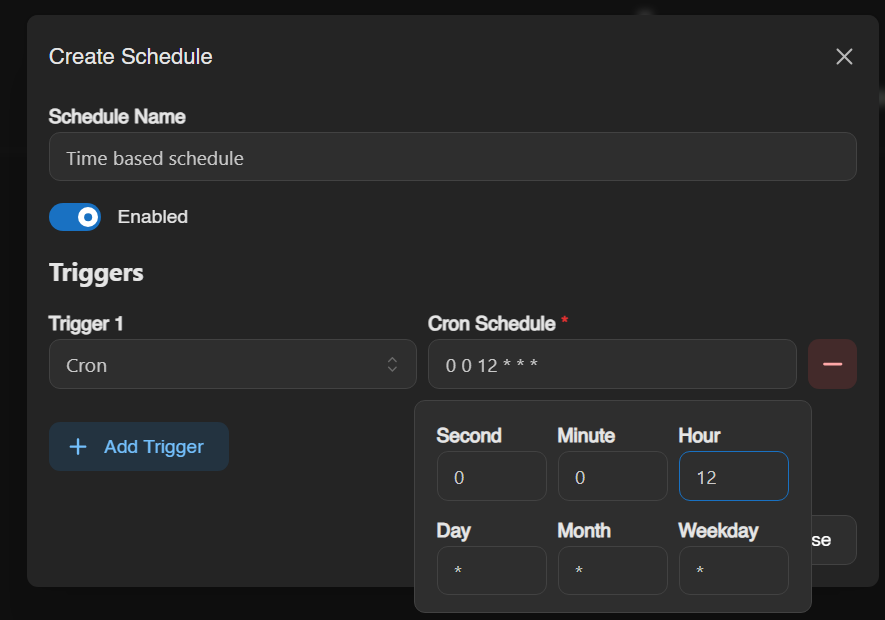
To create a schedule that runs at a specific time first click the create button, then name it and create a trigger. If we want to start the server at 12pm for example we'd do the following. 0 0 12 * * * Starts the server at 12pm exactly. It's important we set the second and minute to 0.
Next we need to add our action, in this example we want to start the server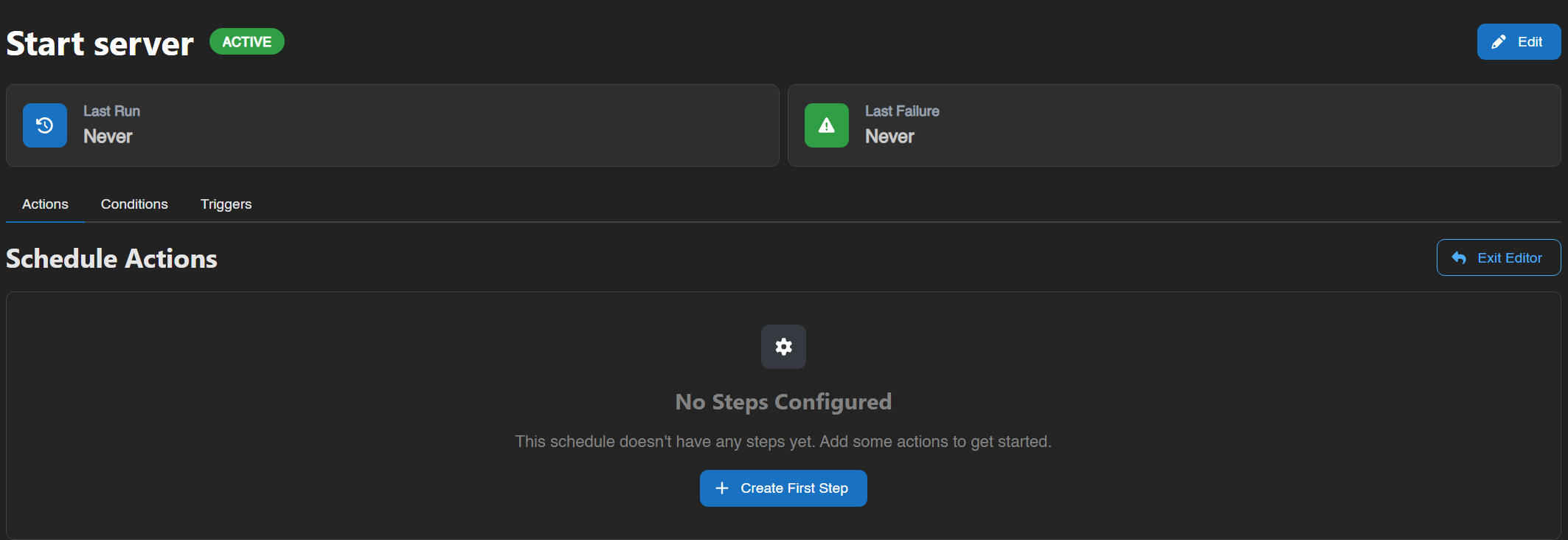
Click "Create First Step"
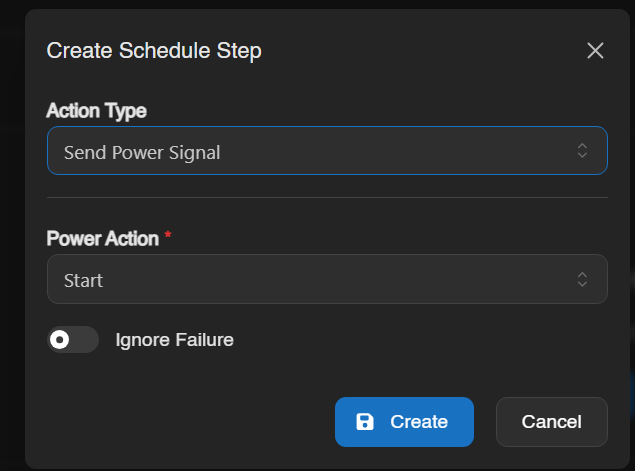
Change the action type to "Send Power Signal" and the power action to "Start", click create and that's it for your start action.
Next create a new schedule to stop the server. In this example we're stopping the server at 3pm
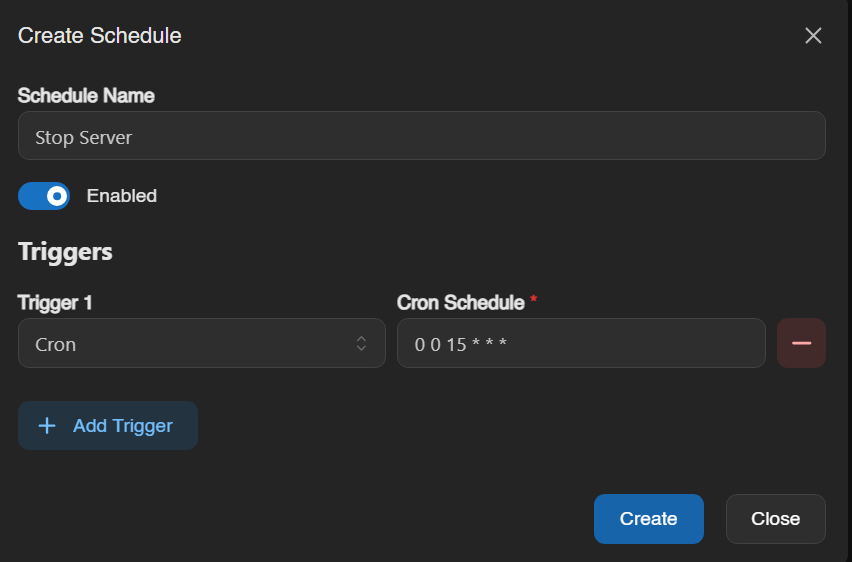
after that add the same new action to stop the server and you're all set