Your account activity and linked logins
What this is about
Two small pages in your account settings help you keep your panel account safe:
- Activity is a diary of everything done with your account: every login, password or email change, 2FA change, API key, SSH key and session you removed. If you ever wonder "did someone else log in as me?", this is where you look.
- OAuth Links shows which outside logins are connected to your panel account. At Something Unique Hosting that is the Billing link, which is what makes Login with Billing work.
Things done to your server (starting it, editing files, backups, console commands) are not on this page. They are in the server's own Activity tab.
Finding the pages
- Click your name in the bottom-left corner of the panel.
- In the sidebar, click Activity or OAuth Links.
Your account activity
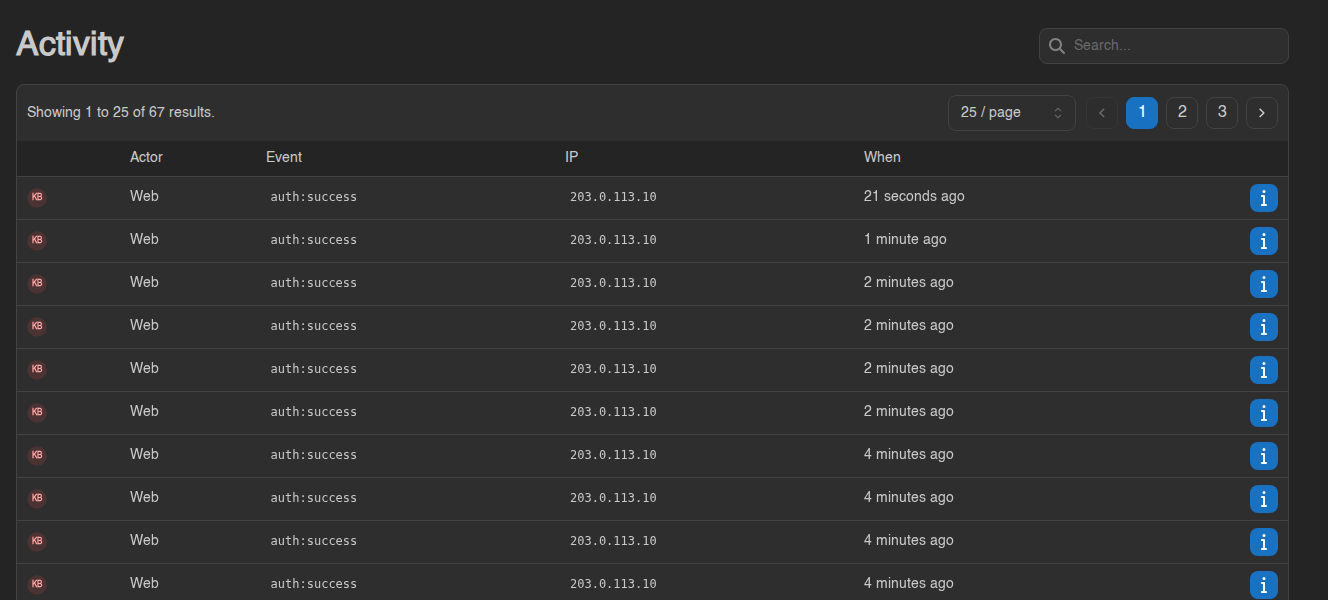
Newest events are at the top.
| Column | Meaning |
|---|---|
| Actor | How it was done: Web (a browser) or API (an API key). If a member of our staff did something on your account while helping you with a ticket, it says Impersonated by … with their name. |
| Event | What happened (see the list below) |
| IP | The internet address it came from |
| When | How long ago. Hover for the exact time. |
What the events mean
| Event | Means |
|---|---|
auth:success |
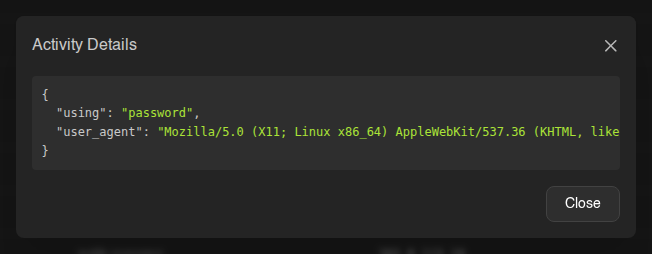
You signed in. The details show how: password, oauth2 (Login with Billing), a passkey or security key, a 2FA code or a recovery code. |
auth:checkpoint |
Your password was accepted and the panel is waiting for your two-factor code. |
auth:reset-password |
A new password was set through Forgot Password. |
account:password-changed |
Your password was changed on the Account page. |
account:email-change-requested, account:email-changed |
An email change was requested, then confirmed. |
account:update, account:update-avatar, account:delete-avatar |
Account details, preferences or avatar changed. |
account:two-factor.enable, account:two-factor.disable |
Two-factor authentication turned on or off (…two-factor.email… for email codes). |
security-key:create, security-key:delete |
A passkey or security key was added or removed. |
session:delete, session:delete-all |
You removed a logged-in device, or used Log Out Others. |
api-key:create, api-key:delete, api-key:recreate |
API keys made, removed or recreated. |
ssh-key:create, ssh-key:import, ssh-key:delete |
SSH keys for SFTP. |
user:command-snippet.create, …update, …delete |
Command snippets. |
account:oauth-links.create, oauth-link:delete |
A linked login was added or removed. |
The Search box at the top matches event names. Type auth to see only logins, or password for everything to do with your password.
The log only records logins that succeeded. Someone trying a wrong password does not show up here.
Spotting a login you don't recognise
Look at the auth:success rows. For each one ask: was that me?
- IP: your own address changes when you switch between home, phone and a VPN, so one unfamiliar address is not proof of anything. A login from a country you have never been to is.
- When: a login at 4 am while you were asleep is worth a closer look.
- ⓘ details: the browser named there should be one you use. A login using
oauth2means someone signed in through the billing site.
If you think it wasn't you:
- Change your password straight away on the Account page, and answer Yes when the panel offers to log out every other session.
- Go to Account → Sessions and click Log Out Others if you haven't already. See Sessions, API keys and SSH keys.
- Turn on two-factor authentication. See Two-factor authentication and security keys.
- Check Account → API Keys and SSH Keys for anything you didn't create, and remove it.
- Check the server's Activity tab to see whether anything was changed on your server.
Anyone who can sign in to your billing account can also reach the panel with Login with Billing. If a login looks wrong, change your billing password too.
Still worried? Open a ticket on the billing site and tell us the time of the login you don't recognise.
OAuth links: logins connected to your account
An OAuth link connects your panel account to a login on another website, so that site can sign you in without a panel password. Your panel account is created by our billing site, and the Billing link is what the Login with Billing button on the login page uses.
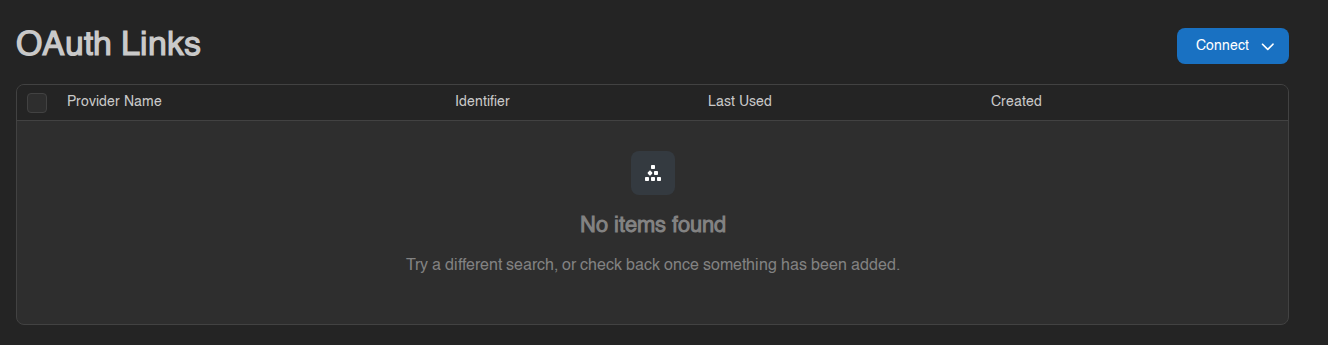
This test account has no links yet. With a Billing link the table has one row.
| Column | Meaning |
|---|---|
| Provider Name | The site you are linked to (Billing) |
| Identifier | Your account number on that site |
| Last Used | When you last signed in through it (N/A if you only use your password) |
| Created | When the link was made |
The Billing link is normal and you should leave it alone. It cannot be removed: Remove is greyed out for it, and the panel refuses the request. Your password and passkeys still work with or without it.
Connect only lists providers you are allowed to manage yourself. At the moment there are none, so the menu is empty. If your account has no Billing link and Login with Billing does not work, open a ticket and we will connect it for you.