Command snippets and keyboard shortcuts
Command snippets
Tired of typing the same long console command? Save it as a snippet and insert it with a couple of keystrokes.
Creating a snippet
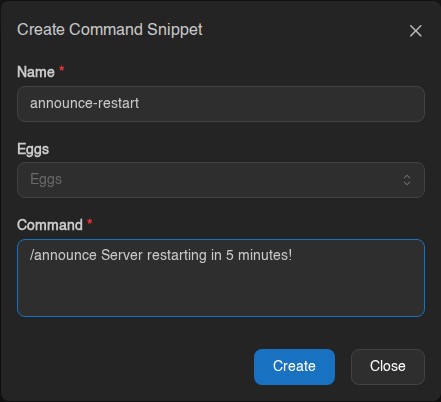
- Go to Account → Command Snippets and click Create.
- Give it a short Name, e.g.
announce-restart. - Type the Command, e.g.
/announce Server restarting in 5 minutes! - Eggs: pick which games it's for. Leave it empty to use it on every server.
- Click Create.
Using a snippet
On any server's Console, type ! followed by part of the name, e.g.
!ann. Pick the snippet from the list and the command is filled in. Check it,
then press Enter to send.
Handy Vintage Story snippets
| Name | Command |
|---|---|
announce-restart |
/announce Server restarting in 5 minutes! |
day |
/time set day |
save |
/autosavenow |
backup |
/genbackup |
whitelist |
/whitelist add (then type the name) |
Keyboard shortcuts
Account → Keyboard Shortcuts lists every shortcut. You can Rebind any of them, or turn them off.
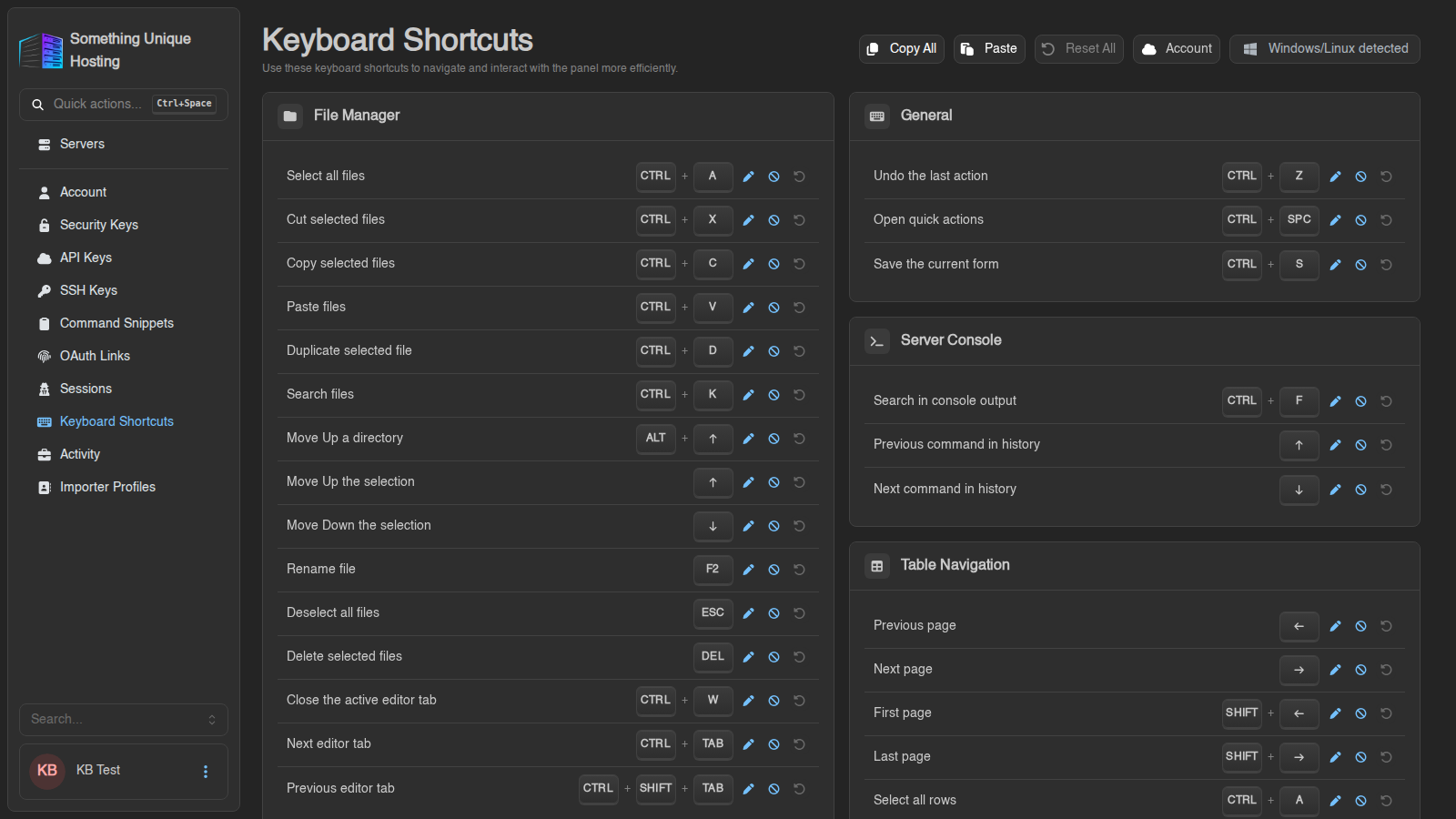
The most useful ones (Windows/Linux; use Cmd instead of Ctrl on Mac):
| Shortcut | Does |
|---|---|
| Ctrl+Space | Quick actions: jump to any page or action by typing |
| Ctrl+S | Save (files, settings) |
| Ctrl+K | Search files |
| F2 | Rename the selected file |
| Ctrl+F | Search the console log |
| ↑ / ↓ | Previous commands in the console |
| Hold S + click | Select several servers on the server list |
Shortcuts sync to your account. Use the menu at the top to keep changes on Only This Device instead.