# Ordering a server
## 1. Pick your game
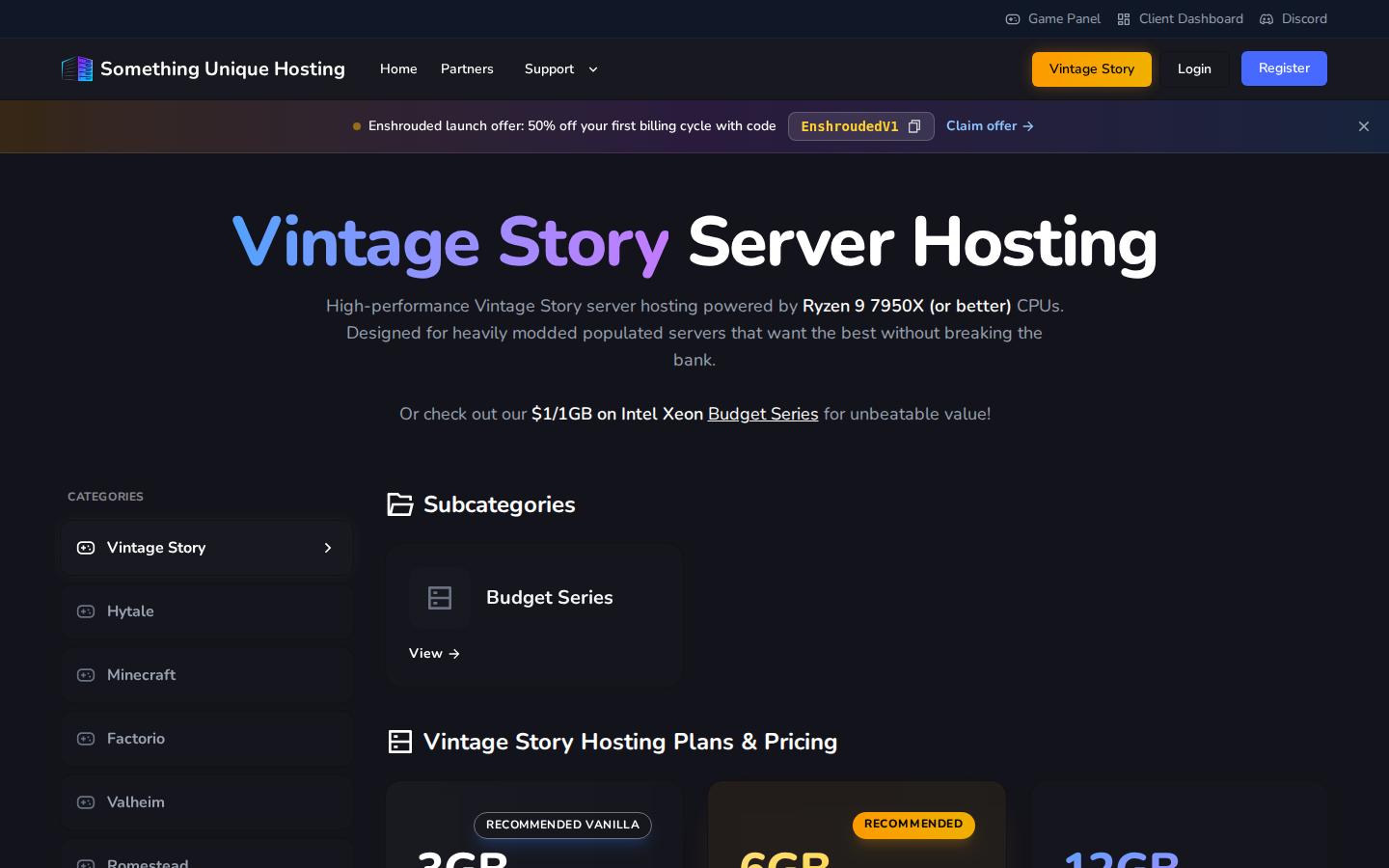
On [suhosting.net](https://suhosting.net), scroll to the games or use **View All
Games**, then pick yours. You'll see the plans for that game. Click
**Configure Server** on the one you want.
[](https://knowledgebase.suhosting.net/uploads/images/gallery/2026-10/bil-category.png)
Not sure how much memory you need? Start small. You can
[upgrade](https://knowledgebase.suhosting.net/books/billing/page/upgradedowngrading-servers) any time and only pay the difference.
## 2. Configure it
[](https://knowledgebase.suhosting.net/uploads/images/gallery/2026-10/bil-configure.png)
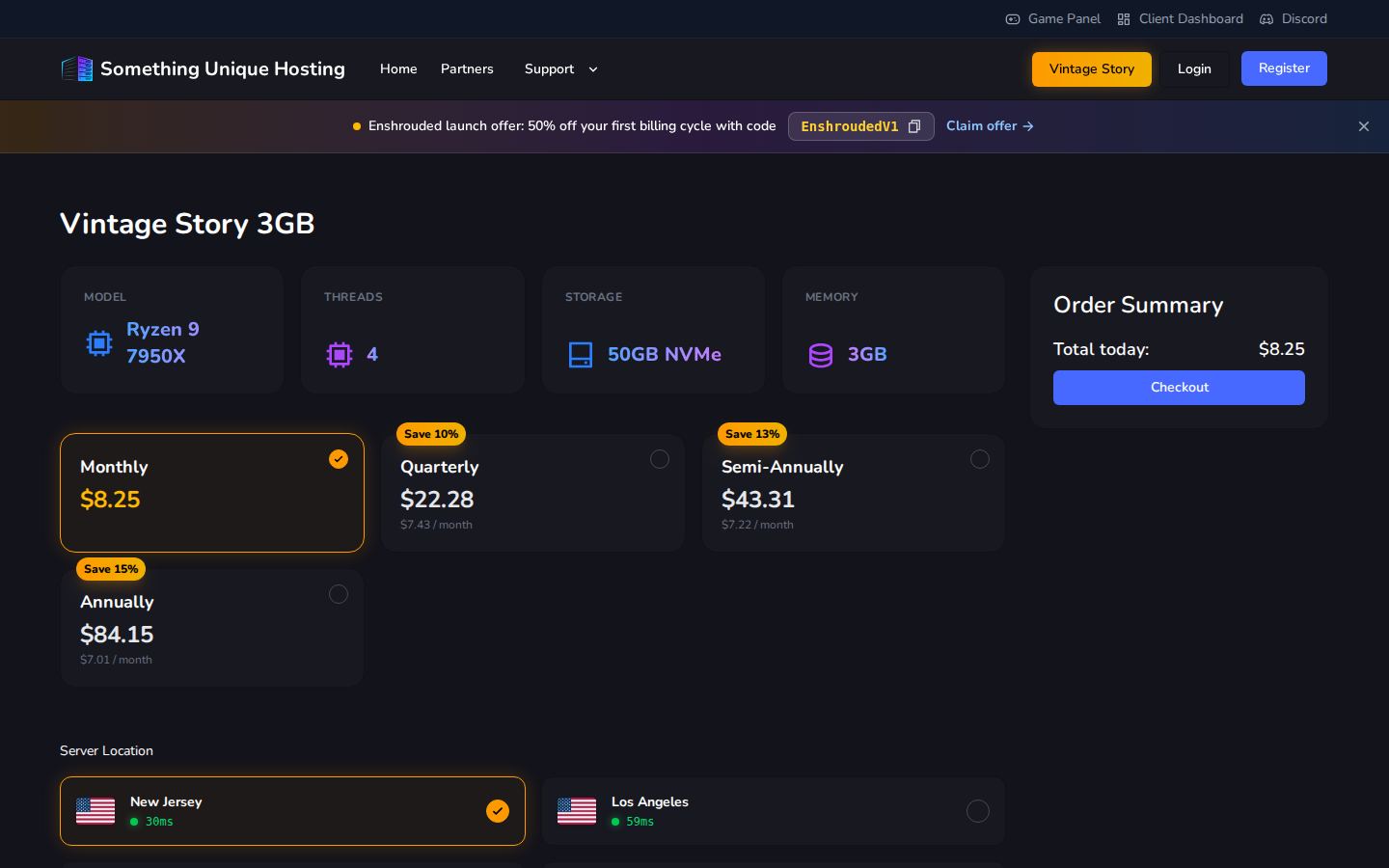
- **Billing cycle**: Monthly, Quarterly, Semi-Annually or Annually. Longer cycles are cheaper per month (the badge shows the saving).
- **Server Location**: choose the datacenter closest to you and your players. Each card shows your **live ping** to that location. Lower is better.
The **Order Summary** on the right shows what you'll pay today. Click
**Checkout**.
## 3. Checkout
[](https://knowledgebase.suhosting.net/uploads/images/gallery/2026-10/bil-cart.png)
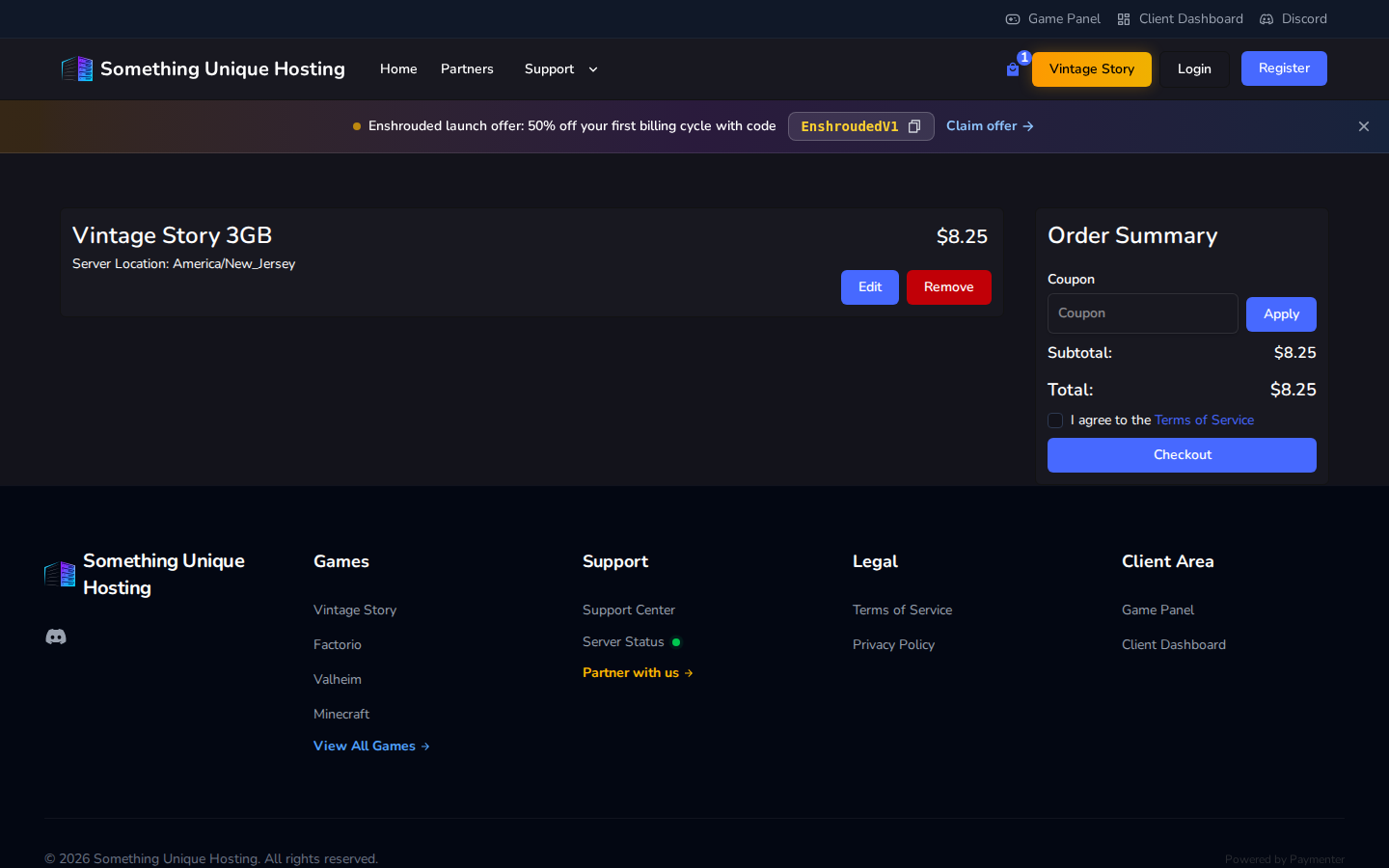
1. Have a **coupon** code? Enter it under **Coupon** and click **Apply**. Only one coupon per order.
2. Tick **I agree to the Terms of Service**.
3. Click **Checkout**. If you're not signed in yet, you'll be asked to sign in or create an account.
4. Pay the invoice with card (Stripe) or PayPal. See [Paying invoices](https://knowledgebase.suhosting.net/books/billing/page/paying-invoices).
Unpaid orders are cancelled after 7 days. If you change your mind, just don't pay. Nothing else to do.
## 4. Start playing
As soon as payment goes through, your server is created automatically. It
usually takes a minute or two.
- In the billing site, it appears under **Services**. Click **Go to Server** to jump to it.
- In the **[game panel](https://panel.suhosting.net)**, sign in with **Login with Paymenter** and your server is waiting.
Next: [Start here: a tour of the game panel](https://knowledgebase.suhosting.net/books/game-panel/page/start-here-a-tour-of-the-game-panel).
## Coupons and promotions
Current offers appear in the banner at the top of the site. Click the code to copy it.
Most coupons apply to **your first invoice only**, and renewals are at the normal price.
Budget Series servers aren't eligible for coupons or partner codes.