Changing your server's location
What this is about
Your players moved, or another datacenter gives you a better ping? We can move your server to another location. Our datacenters are in New Jersey, Los Angeles, Dallas and Germany.
Requesting a move
- Go to Services, open your server, and click Change Location.
- Choose the Requested location.
- Choose When should we move your server?: As soon as possible, or At a specific date and time (in your local time).
- Add a Note if there's anything we should know, then click Submit Request.
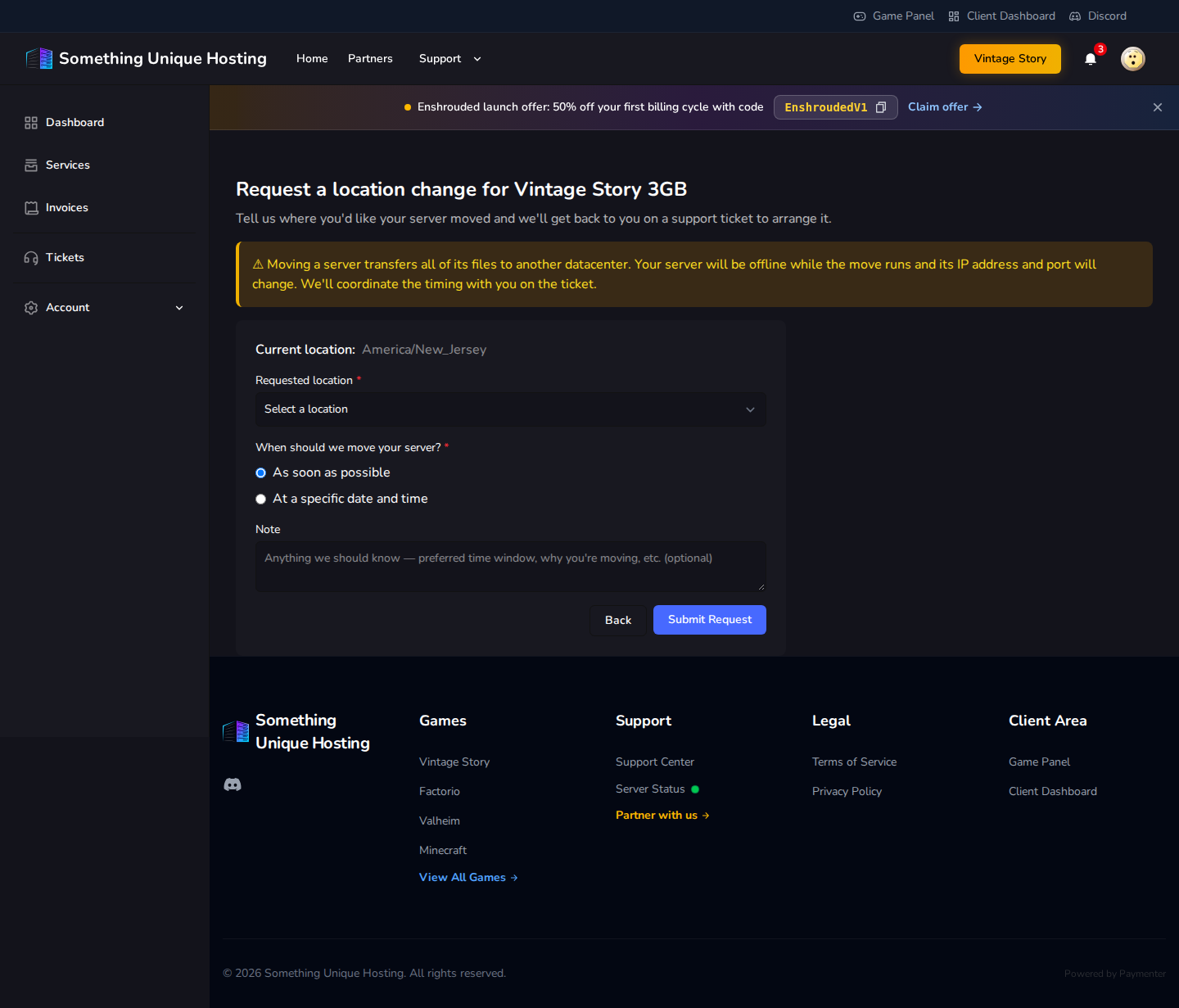
This opens a support ticket, and we'll arrange the move with you there. While a request is open, the button shows Location Change Requested and takes you to the ticket.
What to expect
- All your files move with you: world, mods, configs.
- Your server is offline while the move runs.
- Your address changes: the server gets a new IP and port. Share the new address with your players, or use a subdomain so they never need to know.
Take a backup before the move. It's very unlikely to be needed, but it never hurts.